A Legendary Ad Man’s Rules for Creative Success
https://ift.tt/2PgQKuD
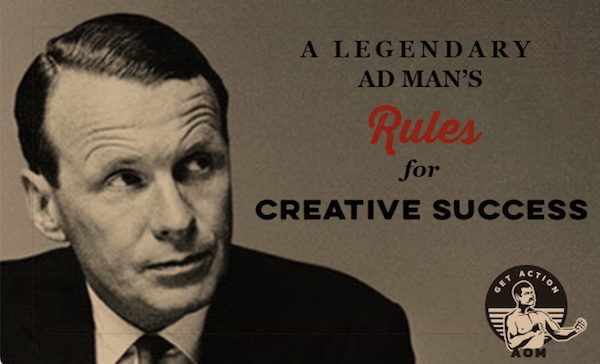
Today, the Ogilvy agency is one of the largest advertising and public relations companies in the world.
It was founded by a man who didn’t have an MBA, or even a college degree.
Before he became the King of Madison Avenue, Englishman David Ogilvy was an Oxford dropout who worked as a chef in Paris, a door-to-door salesman, a researcher for George Gallup, an agent of the British Intelligence Service during WWII, and a farmer in Pennsylvania.
In 1948, with only $6,000 in funds, he founded a new advertising agency — Ogilvy & Mather — which became, in his words, “an immediate and meteoric success.” Ogilvy landed some of the world’s biggest corporate accounts, and helped created some of the most iconic (and manliest) ad campaigns, from introducing the eye-patched “man in the Hathaway shirt” to making Commander Whitehead (he who waxed poetic on the three qualities of an educated man) the face of Schweppes.
In bringing originality and innovation to a long-stagnant industry, Ogilvy would become known as the “Father of Advertising.” Though he was annoyed by the term “creativity,” which in the mid-20th century was ascending into an overused buzzword, yet he recognized the quality as the very lifeblood of a successful ad agency. In his bestselling book Confessions of an Advertising Man, published in 1963, he cites the work of personality researcher Dr. Frank Barron, whose conclusions on the nature of creative individuals, Ogilvy said, aligned with his own:
Creative people are especially observant, and they value accurate observation (telling themselves the truth) more than other people do.
They often express part-truths, but this they do vividly; the part they express is the generally unrecognized; by displacement of accent and apparent disproportion in statement they seek to point to the usually unobserved.
They see things as others do, but also as others do not.
They are born with greater brain capacity; they have more ability to hold many ideas at once, and to compare more ideas with one another — hence to make a richer synthesis.
They are by constitution more vigorous, and have available to them an exceptional fund of psychic and physical energy.
Their universe is thus more complex, and in addition they usually lead more complex lives.
They have more contact than most people do with the unconscious — with fantasy, reverie, the world of imagination.
Ogilvy strove to hire employees who possessed the qualities of creativity — which he said were most apt to be found amongst the “nonconformists, dissenters, and rebels” of the world — and to create an environment at his agency in which creativity could flourish.
To this end, he enacted certain rules that structured the culture of Ogilvy & Mather (though as he notes in the updated preface to the 1988 edition of Confessions, the idea of “corporate culture” didn’t exist during his tenure as chairman). Below we highlight some of the best pearls of wisdom Ogilvy lays out in the book; these rules for creative success still apply today, both to solo entrepreneurs, and to those who are managing teams of people and overseeing large-scale operations.
Wed the Novel to the Familiar, the Artistic to the Practical
In the modern world of business, it is useless to be a creative, original thinker unless you can also sell what you create. Management cannot be expected to recognize a good idea unless it is presented to them by a good salesman.
When it comes to creativity in the context of business, creativity is not an end in and of itself — it’s a means to growth, revenue, sales, etc.
Even a solo artist who believes in his vision, and the nobility of his craft, invariably wants to be recognized, desires an audience, hopes for attention.
In the ad business, creating new campaigns requires creativity, but that creativity also has a job to do: move product. Ogilvy’s varied professional background had taught him the necessity of wedding free-flowing originality with a practical, hard-nosed, no-nonsense approach to packaging and presenting that originality. He cultivated a creativity that worked.
That began with the content of the ad campaigns themselves. He didn’t want them to be conventional, but he also didn’t want them to be so highfalutin and esoteric that they weren’t actually effective. As he wrote in the 1988 preface to Confessions:
advertising agencies, notably in Britain, France, and the United States, are now infested with people who regard advertising as an avant-garde art form. They have never sold anything in their lives. Their ambition is to win awards at the Cannes Festival. They bamboozle their unfortunate clients into paying millions of dollars a year to exhibit their originality. They aren’t interested in the products they advertise, and assume that the consumer won’t be either; so they say almost nothing about their virtues. At best they are mere entertainers, and rather feeble ones at that.
Have you ever seen a commercial that was really interesting or emotionally touching . . . but then found that, just a minute later, you couldn’t remember what company the ad was for? Ogilvy would decry that spot as ineffective creativity.
As Allen Gannett explained in our podcast interview about his book The Creative Curve, the ideas that take off, that find an audience, a market, are the “things that are familiar with a twist of novelty.” An idea can’t be so new that people think, “Wut?” and can’t be so well-worn and tired, that it isn’t compelling.
Once you’ve got the art/content that hits that sweet spot between the familiar and the novel, you’ve still got to be able to pitch the idea to people. You have to know how to put yourself out there, to promote your stuff. The notion that good, creative ideas simply sell themselves simply isn’t true. As Gannett shared in the podcast:
There’s this really fascinating study that followed art students from the time they were in school to . . . I think it was 15 years after they left art school. What they found was that in art school the students who did the best, in terms of grades and perception by the other students, were the ones who most represented the archetype of an artist. Like, they were sort of like dark, and a little weird, and all this stuff. But 10 years later the successful artists . . . Actually, none of those kids were successful. The successful artists were the ones who were best at salesmanship, they were the best marketers, the best PR people.
Whether you’re promoting your paintings on Instagram or pitching ideas to a corporate client, creatives need not only the skills of an artist, but also those of a salesman.
Don’t (Overly) Delegate; Stay (Relatively) Small
It’s easy to be beguiled by acres of desks, departments, and other big agency appurtenances. What counts is the real motive power of the agency, the creative potency.
Oftentimes in business, the implicit goal is to get as big as possible. Achieve world domination.
Yet, though Ogilvy’s own ambitions couldn’t have been loftier, he also intentionally kept his agency much smaller than it could have been, and did not at all see growth as an unalloyed good.
Ogilvy “fired” 3X more of his current clients, than his current clients fired him. Clients were often let go for being insufficiently profitable, as he strongly felt that it wasn’t worth spending energy and bandwidth on dead weight; “Concentrate your time, your brains, and your . . . money on your successes . . . Back your winners, and abandon your losers.”
Ogilvy also rejected around 60 potential new clients each year. A common reason for this rejection was the chairman’s lack of confidence in the product that a company wanted his agency to pitch. Ogilvy used all the products he advertised, and wouldn’t create campaigns for those he couldn’t personally back, believing that it was “flagrantly dishonest for an advertising agent to urge consumers to buy a product which he would not allow his own wife to buy,” and that it was impossible to craft an effective ad for something you couldn’t earnestly get behind:
I will not run a campaign dictated by a client unless I believe in its basic soundness. When you do that, you imperil the creative reputation of your agency, which ought to be your most treasured possession.
Ogilvy also turned down new clients if their accounts would constitute such a large proportion of his agency’s revenue that the incentive to keep the account would inhibit the agency’s creative freedom:
I have never wanted to get an account so big that I could not afford to lose it. The day you do that, you commit yourself to living with fear. Frightened agencies lose the courage to give candid advice; once you lose that you become a lackey.
This was what led me to refuse an invitation to compete for the Edsel account. I wrote to Ford: ‘Your account would represent one-half of our total billing. This would make it difficult to sustain our independence of counsel.’
When Ford’s Edsel ultimately went down in flames, Ogilvy & Mather did not.
Ogilvy’s primary drive in staying smaller was the desire to maintain creative control and consistency; he didn’t want his and his employees’ focus and brainpower to be stretched too thin:
In my opinion, delegation has been carried too far in some of the big agencies. Their top men have withdrawn into administration, leaving all contact with clients to juniors. This process builds large agencies, but it leads to mediocrity in performance. I have no ambition to preside over a vast bureaucracy. That is why we have only nineteen clients. The pursuit of excellence is less profitable than the pursuit of bigness, but it can be more satisfying.
Ogilvy wanted to be able to personally ensure that each campaign was top-notch. In fact, while most agencies had subordinates present campaign ideas to clients, Ogilvy often made these presentations himself; he wanted to be directly involved, and felt it made the pitches more memorable (“One orchestra looks like every other orchestra, but there is no confusing one conductor with another”).
While intentionally curtailing expansion might represent a throttle to revenue in the short-term, the maintenance of quality sets a business up for sustained growth, extending its longevity, which can mean more revenue in the long-term.
What constitutes a “small” organization will be relative to the kind of business you’re in, but nearly every enterprise could be leaner than it is; many entrepreneurs in fact find great success in being a “company of one.”
Keep Your Hand on the Creative Tiller
As the creative individual who founded a business grows that business, he inevitably finds himself spending less time on the creative tasks on which his company was built, and more time on the managerial, administrative, and executive tasks his growing empire necessitates.
But, and this is related to the above point about curtailing delegation, the individual who founded an enterprise should always keep a hand on the creative tiller by which it is steered. This was a lesson Ogilvy learned while working as a young apprentice under head chef Monsieur Pitard at the Majestic Hotel in Paris:
[Pitard] had to spend most of his time at his desk, planning menus, scrutinizing bills, and ordering supplies, but once a week he would emerge from his glass-walled office in the middle of the kitchen and actually cook something. A crowd of us always gathered around to watch, spellbound by his virtuosity. It was inspiring to work for a supreme master.
Following Chef Pitard’s example, I still write occasional advertisements myself, to remind my brigade of copywriters that my hand has not lost its cunning.
As Ogilvy alludes, by continuing to maintain a connection to the work a company was founded on, a creative-turned-executive not only ensures his subordinates that they are led by a boss who is himself competent in the area in which they labor, but also keeps his finger on the pulse of the very thing upon which his past, present, and future success is premised.
Don’t Make Decisions By Committee
Nowadays it is the fashion to pretend that no single individual is ever responsible for a successful advertising campaign. This emphasis on ‘team-work’ is bunkum — a conspiracy of the mediocre majority.
If there’s one thing that Ogilvy hits home again and again in Confessions of an Advertising Man, it’s the uselessness of subjecting creative decisions to a committee.
Even though the supposed power of collective brainstorming retains a hold on popular culture, a meta-analysis of hundreds of scientific studies found that individuals actually generate more, and more creative and original, ideas when working independently than when interacting with others. That’s because people tend to slack off, feel cowed, and regress to the mean — the more talented members of a group default to the ideas of the less talented — when they’re in a group.
Ogilvy already understood this a half-century ago:
Some agencies pander to the craze for doing everything in committee. They boast about ‘team-work’ and decry the role of the individual. But no team can write an advertisement, and I doubt whether there is a single agency of any consequence which is not the lengthened shadow of one man.
Ogilvy understood that out of groupthink does not arise something meta, a synthesis of creativity superior to any single individual’s idea, but rather an unartful melding of disparate parts, a Franken-idea, lumbering and repulsive. As he notes, “A lot of advertisements and television commercials look like the minutes of a committee meeting, and that is what they are.”
“Advertising seems to sell most when it is written by a solitary individual,” Ogilvy observed, for an individual’s stream of creativity is most potent when it runs unchecked by a panel of dissecters, who dismantle it down to the lowest common denominator. For this reason, he wouldn’t work with clients who insisted on making decisions via committee, a commitment he illustrates well in a story of when Ogilvy & Mather was competing for the Rayon Manufacturers’ Association account. This potential client had three strikes against them: too small a budget, too many objectives to accomplish, and, worst of all, “too many masters”:
I duly presented myself at their headquarters and was ushered into a pompous committee room.
‘Mr. Ogilvy,’ said the chairman, ‘we are interviewing several agencies. You have exactly fifteen minutes to plead your case. Then I will ring this bell, and the representative of the next agency, who is already waiting outside, will follow you.’
Before launching into my pitch, I asked three questions:
‘How many of the end-uses for Rayon must be covered in your campaign?’ Answer: automobile tires, furnishing fabrics, industrial products, women’s clothing, men’s clothing.
‘How much money is available?’ Answer: $600,000.
‘How many people must OK the advertisements?’ Answer: the twelve members of the Committee, representing twelve manufacturers.
‘Ring the bell!’ I said, and walked out.
Use Constraints to Release Creativity
Though Ogilvy didn’t like the limitations on creativity that a committee imposed, this isn’t to say he didn’t believe in constraints in general. Indeed, he believed that certain limitations were essential in releasing individuals’ best and most original ideas:
When copywriters, art directors, and television producers come to work in our agency, they are herded into a conference room and subjected to the Magic Lantern [slide show], which tells them how to write headlines and body copy, how to illustrate advertisements, how to construct television commercials, and how to select the basic promise for their campaigns. The rules I postulate do not represent my personal opinions; they are the quintessence of what I have learned from research.
The recruits react to my lecture in different ways. Some find comfort and security under the command of a chief who seems to know what he is talking about. Some are uneasy at the prospect of working within such rigid disciplines.
‘Surely,’ they say, ‘these rules and regulations must result in dull advertising?’
‘Not so far,’ I reply. And I go on to preach the importance of discipline in art. Shakespeare wrote his sonnets within a strict discipline, fourteen lines of iambic pentameter, rhyming in three quatrains and a couplet. Were his sonnets dull? Mozart wrote his sonatas within an equally rigid discipline — exposition, development, and recapitulation. Were they dull?
Being given a completely blank slate can be paralyzing; guidelines and rules create boundaries, a conduit, through which creativity can more effusively and effectively flow.
Stay Hungry
When Ogilvy first founded his ad agency, he had little money or cache. But he set his sights high, making it a goal to land the accounts of General Foods, Bristol-Myers, Campbell Soup, Lever Brothers, and Shell, all of which he eventually secured.
He succeeded by leveraging the one thing the big, established agencies lacked: “fire in the belly.” Whereas other agencies were complacent, entrenched, slow, and bloated, Ogilvy & Mather was fresh, driven, lean, and nimble. They were hungry. They were in what fellow advertising exec John Orr Young called their “workclothes days or pre-adipose period.”
As Ogilvy explains, the established agencies were easy to pick off, as within the standard life cycle for companies — “the inevitable pattern of rise and decline, from dynamite to dry rot” — his company was at its peak, while his competitors were in its trough:
Once every few years a great new agency is born. It is ambitious, hard working, full of dynamite. It gets accounts from soft old agencies. It does great work.
The years pass. The founders get rich, and tired. Their creative fires go out. They become extinct volcanoes.
The agency may continue to prosper. Its original momentum is not yet spent. It has powerful contacts. But it has grown too big. It produces dull, routine campaigns, based on the echo of old victories. Dry rot sets in. The emphasis shifts to collateral services, to conceal the agency’s creative bankruptcy. At this stage, it begins losing accounts to vital new agencies, ruthless upstarts who work hard and put all their dynamite into their advertisements.
We can all name the famous agencies which are moribund. You hear demoralizing whispers in their corridors, long before the truth dawns on their clients.
Of course, once a hungry upstart business has feasted on the moribund carcasses of established enterprises, the trick then becomes how to stay hungry. How does a now-successful, now-fat-and-happy business avoid the tendency to rest on its laurels, becoming themselves the complacent moribund carcass primed to be devoured by the next hustle-heavy disruptor as the lifecycle of business churns on? There are, unfortunately, no easy answers here.
Staying lean, avoiding bloat and over-delegation helps.
So does simply seeking new horizons and keeping one’s sights set high; as Ogilvy advised: “Don’t bunt. Aim out of the park. Aim for the company of immortals.”
The post A Legendary Ad Man’s Rules for Creative Success appeared first on The Art of Manliness.

via The Art of Manliness https://ift.tt/1RxJwc9
March 2, 2021 at 12:01PM