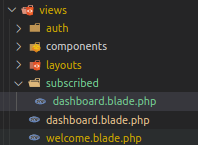
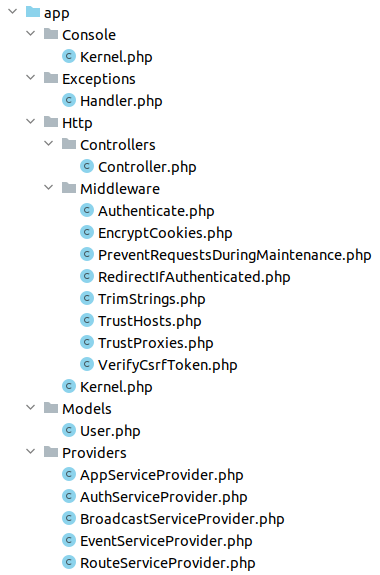
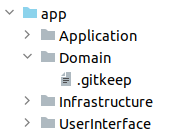
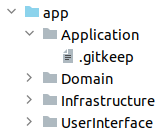
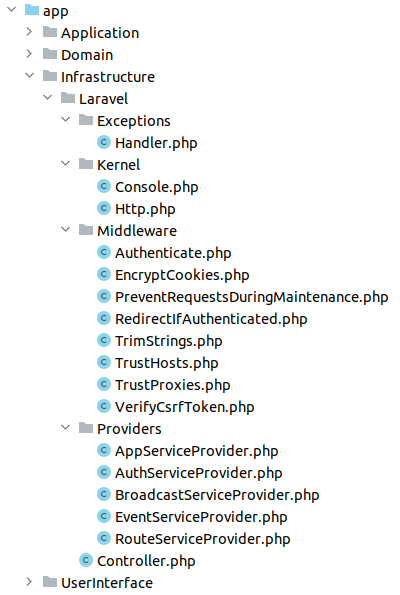
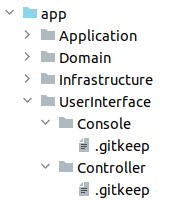
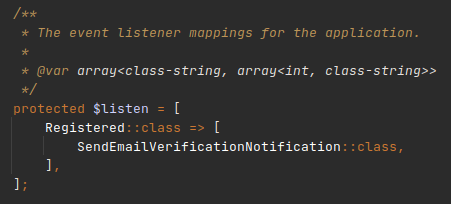
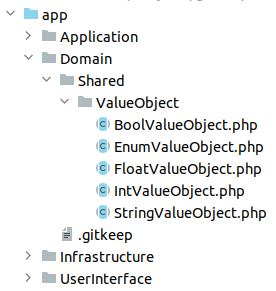
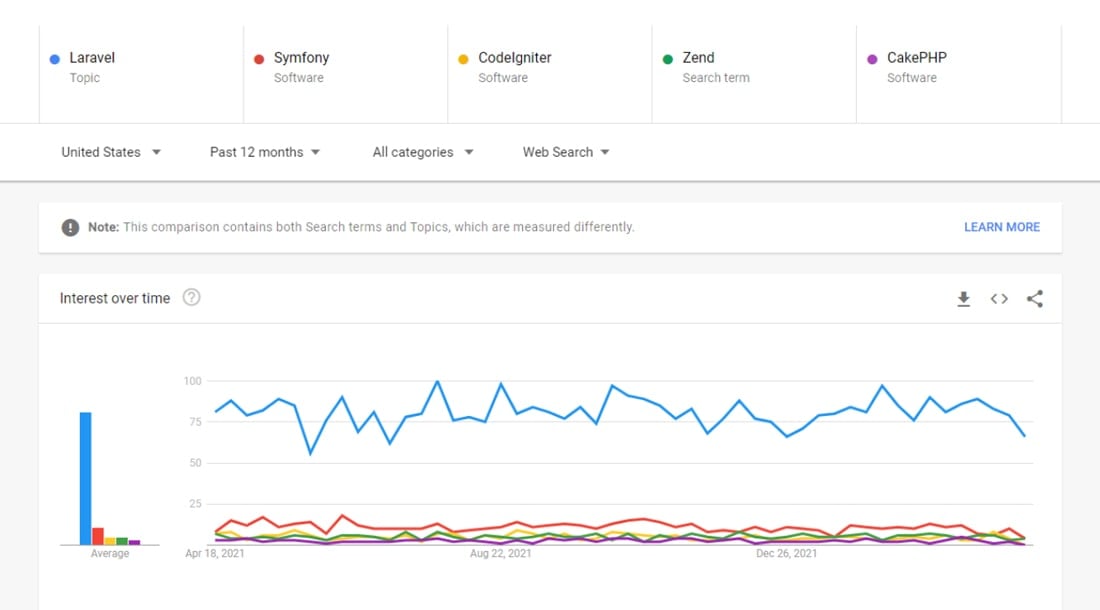
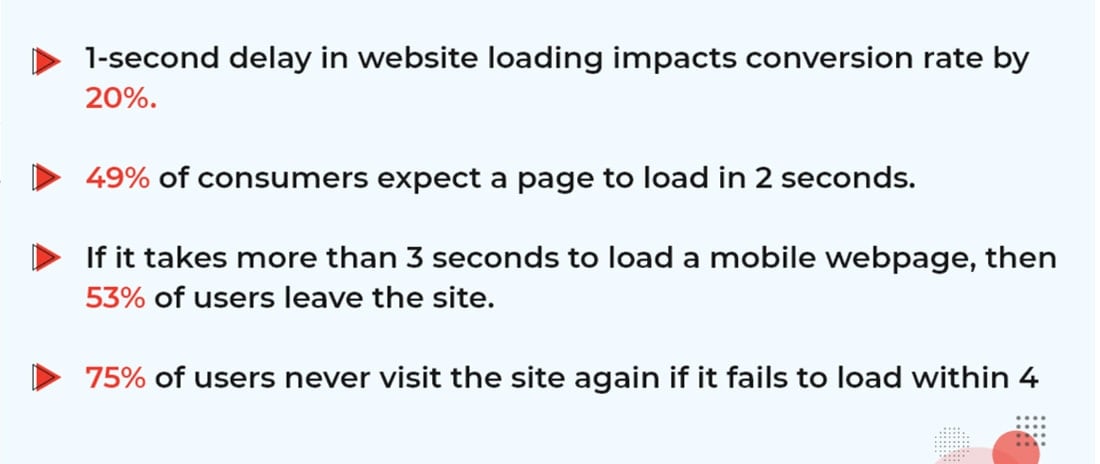
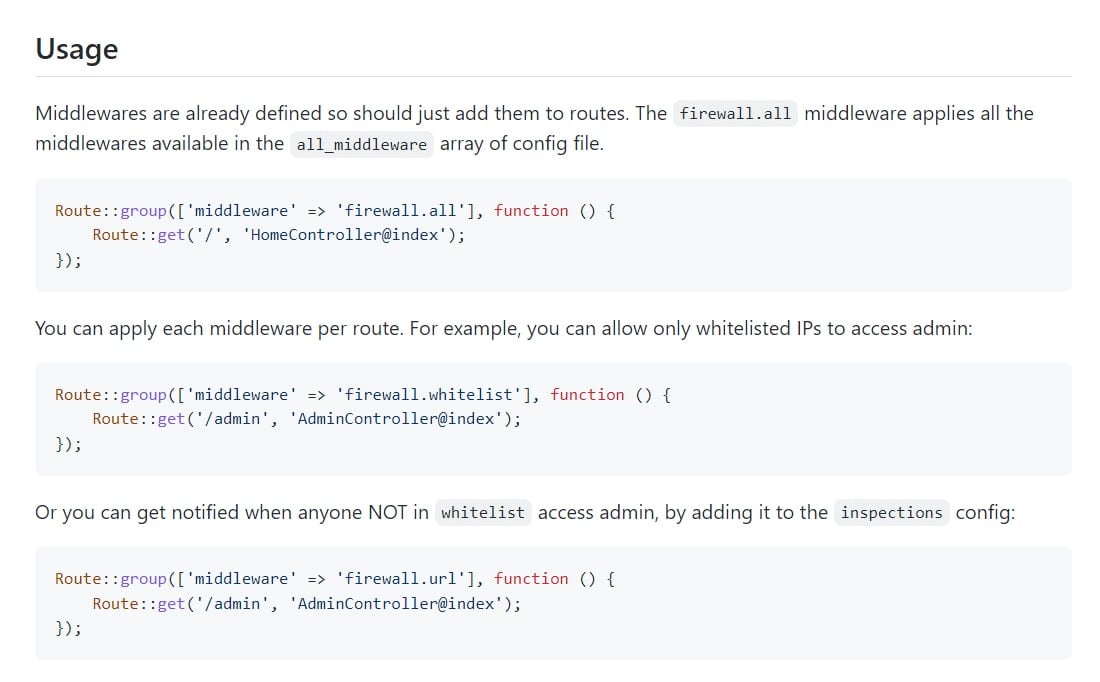
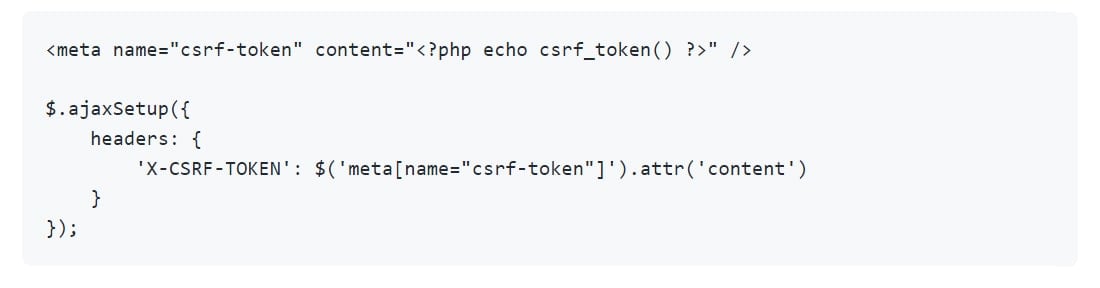
We continue compiling random Laravel tips into a special free repository. In this video, I’m presenting a new PR with 45 new tips and will share random 5 of them.Laravel News Links
Project Veritas says it has obtained military documents contradicting Fauci’s sworn testimony about gain-of-function research in Wuhan 👀
https://media.notthebee.com/articles/61dd99093c4c061dd99093c4c1.jpg
Remember how the lab-leak theory was completely shut down on social media, only for officials to say last summer after the Fauci emails leaked that maaaaaybe it happened before the media swept the story under the rug?
Not the Bee
Laravel EasyPanel
https://repository-images.githubusercontent.com/310552467/99c0d700-6f9e-11eb-9097-464b25973236
EasyPanel
EasyPanel is a beautiful, customizable and flexible admin panel based on Livewire for Laravel.
Features :
- Easy to install
- Multi Language
- RTL and LTR mode
- Sort Data just with a click
- Support CKEditor and Persian Font for RTL mode
- Create CRUD for every model in 1 minute
- Manage route prefix and addresses
- A beautiful UI/UX with AdminMart template
- Add/remove Admins with command line
- UserProviders and Authentication classes are customizable and you can change them
- You can create your own routes and customize view and components
- Manage pagination count
- Real time validation with Livewire
- A small and beautiful TODO (You can disable it in config)
- Create a nice and responsive view based on your data in config file for every CRUDs
- Strong commands to manage package
- Custom validation based on config file
- Ajax search with Livewire in every column which you want
Install:
- Install the Package in Laravel project with Composer.
composer require rezaamini-ir/laravel-easypanel
- Publish EasyPanel files with one command :
php artisan panel:install
Congrats! You installed the package, follow the Usage section.
Usage:
First you have to define admins then You can create a CRUD for a model.
Follow the doc.
Define Admins
Run this command out to make a user as an admin:
php artisan panel:add [user_id]
To create a super admin you can pass --super option to the command.
For example:
php artisan panel:add 10 --super
To remove an admin you can execute this command:
php artisan panel:remove [user_id]
[user_id] : It’s id of user that you want to make as an admin
These commands use UserProvider class in EasyPanel and You can use your own class instead of that and pass it in config file
Multi Lang
If you want change language of Module You have to pass 2 steps:
1 – copy en_panel.json file in resources/lang and paste it in this folder with your lang name like fr_panel.json then customize it.
File format must have _panel.json suffix, e.g: fr_panel.json, fr is your language like : fa, en, fr, ar, ..
2 – Set your lang in easy panel config file in config/easy_panel.php in lang key, this value must be equal to your suffix language file name in the lang directory, like fr.
TODO
If you need TODO feature you have to publish TODO migration with this command
php artisan panel:migration
It will publish TODO’s migration file then you can migrate the migrations with php artisan migrate.
After pass these steps, You must set todo key in config file to true.
Now you have a TODO inside your panel for each admin.
Config
Base Config
| Key | Type | Description |
|---|---|---|
enable |
bool |
Module status |
todo |
bool |
TODO feature status |
rtl_model |
bool |
If you want a RTL base panel set it true |
lang |
bool |
Your default language with this format : **_panel.json which you have to just use ** like en or fa |
user_model |
string |
Address of User model class |
auth_class |
string |
Address of user authentication class |
admin_provider_class |
string |
Address of user provider class |
redirect_unauthorized |
string |
If user is unauthenticated it will be redirected to this address |
route_prefix |
string |
Prefix of admin panel address e.g: if set it admin address will be : http://127.0.0.1/admin |
pagination_count |
int |
Count of data which is showed in read action |
lazy_mode |
bool |
Lazy mode for Real-Time Validation |
actions |
array |
List of enabled action which you have created a crud config for them. |
CRUD Component methods
| Method/Property | Return Type | Description |
|---|---|---|
create |
bool |
Create Action for this model |
update |
bool |
Update Action for this model |
delete |
bool |
Delete Action for this model |
with_auth |
bool |
It will fill user_id key for create and update action with auth()->user()->id |
getModel |
string |
CRUD Model |
searchable |
array |
Columns in model table which you want to search in read action |
validationRules |
array |
Validation rules in create and update action (it uses Laravel validation system) |
inputs |
array |
Input name as key and Input type as value (for update and create action) |
storePaths |
array |
Where every files of inputs will store |
fields |
array |
Every data which you want to show in read action (if data is related on other tables pass it as an array, key is relation name and value is column name in related table) |
Examples:
Fields:
public function fields() { return ['title', 'image', 'user.name']; }
Form Inputs:
public function inputs() { return [ 'name' => 'text', 'email' => 'email', 'password' => 'password', 'avatar' => 'file' ]; }
public function inputs() { return [ 'title' => 'text', 'body' => 'ckeditor', 'photo' => 'file', 'status' => ['select' => [ 'published' => 'Publish Now!', 'unpublished' => 'Publish Later..', ]], ]; }
Dynamic value from a table
public function inputs() { return [ 'title' => 'text', 'body' => 'ckeditor', 'photo' => 'file', 'category' => ['select' => Category::where('active', true) ->get() ->pluck('name', 'id') // [1 => 'IT', 2 => 'History', 2 => 'Medicine'] ], ]; }
What do we use in this package?
Contribution:
If you feel you can improve our package You are free to send a pull request or submit an issue 🙂
V2 Path
Laravel News Links
30 pandas Commands for Manipulating DataFrames
https://static1.makeuseofimages.com/wordpress/wp-content/uploads/2021/10/Pandas-in-Python.jpg
The pandas library makes python-based data science an easy ride. It’s a popular Python library for reading, merging, sorting, cleaning data, and more. Although pandas is easy to use and apply on datasets, it has many data manipulatory functions to learn.
You might use pandas, but there’s a good chance you’re under-utilizing it to solve data-related problems. Here’s our list of valuable data manipulating pandas functions every data scientist should know.
Install pandas Into Your Virtual Environment
Before we proceed, make sure you install pandas into your virtual environment using pip:
pip install pandas
After installing it, import pandas at the top of your script, and let’s proceed.
1. pandas.DataFrame
You use pandas.DataFrame() to create a DataFrame in pandas. There are two ways to use this function.
You can form a DataFrame column-wise by passing a dictionary into the pandas.DataFrame() function. Here, each key is a column, while the values are the rows:
import pandas
DataFrame = pandas.DataFrame({"A" : [1, 3, 4], "B": [5, 9, 12]})
print(DataFrame)
The other method is to form the DataFrame across rows. But here, you’ll separate the values (row items) from the columns. The number of data in each list (row data) must also tally with the number of columns.
import pandas
DataFrame = pandas.DataFrame([[1, 4, 5], [7, 19, 13]], columns= ["J", "K", "L"])
print(DataFrame)
2. Read From and Write to Excel or CSV in pandas
You can read or write to Excel or CSV files with pandas.
Reading Excel or CSV files
To read an Excel file:
#Replace example.xlsx with the your Excel file path
DataFrame = DataFrame.read_excel("example.xlsx")
Here’s how to read a CSV file:
#Replace example.csv with the your CSV file path
DataFrame = DataFrame.read_csv("example.csv")
Writing to Excel or CSV
Writing to Excel or CSV is a well-known pandas operation. And it’s handy for saving newly computed tables into separate datasheets.
To write to an Excel sheet:
DataFrame.to_excel("full_path_of_the_destination_folder/filename.xlsx")
If you want to write to CSV:
DataFrame.to_csv("full_path_of_the_destination_folder/filename.csv")
You can also compute the central tendencies of each column in a DataFrame using pandas.
Here’s how to get the mean value of each column:
DataFrame.mean()
For the median or mode value, replace mean() with median() or mode().
4. DataFrame.transform
pandas’ DataFrame.transform() modifies the values of a DataFrame. It accepts a function as an argument.
For instance, the code below multiplies each value in a DataFrame by three using Python’s lambda function:
DataFrame = DataFrame.transform(lambda y: y*3)
print(DataFrame)
5. DataFrame.isnull
This function returns a Boolean value and flags all rows containing null values as True:
DataFrame.isnull()
The result of the above code can be hard to read for larger datasets. So you can use the isnull().sum() function instead. This returns a summary of all missing values for each column:
DataFrame.isnull().sum()
6. Dataframe.info
The info() function is an essential pandas operation. It returns the summary of non-missing values for each column instead:
DataFrame.info()
7. DataFrame.describe
The describe() function gives you the summary statistic of a DataFrame:
DataFrame.describe()
8. DataFrame.replace
Using the DataFrame.replace() method in pandas, you can replace selected rows with other values.
For example, to swap invalid rows with Nan:
# Ensure that you pip install numpy for this to work
import numpy
import pandas
# Adding an inplace keyword and setting it to True makes the changes permanent:
DataFrame.replace([invalid_1, invalid_2], numpy.nan, inplace=True)
print(DataFrame)
9. DataFrame.fillna
This function lets you fill empty rows with a particular value. You can fill all Nan rows in a dataset with the mean value, for instance:
DataFrame.fillna(df.mean(), inplace = True)
print(DataFrame)
You can also be column-specific:
DataFrame['column_name'].fillna(df[column_name].mean(), inplace = True)
print(DataFrame)
10. DataFrame.dropna
The dropna() method removes all rows containing null values:
DataFrame.dropna(inplace = True)
print(DataFrame)
11. DataFrame.insert
You can use pandas’ insert() function to add a new column to a DataFrame. It accepts three keywords, the column name, a list of its data, and its location, which is a column index.
Here’s how that works:
DataFrame.insert(column = 'C', value = [3, 4, 6, 7], loc=0)
print(DataFrame)
The above code inserts the new column at the zero column index (it becomes the first column).
12. DataFrame.loc
You can use loc to find the elements in a particular index. To view all items in the third row, for instance:
DataFrame.loc[2]
13. DataFrame.pop
This function lets you remove a specified column from a pandas DataFrame.
It accepts an item keyword, returns the popped column, and separates it from the rest of the DataFrame:
DataFrame.pop(item= 'column_name')
print(DataFrame)
14. DataFrame.max, min
Getting the maximum and minimum values using pandas is easy:
DataFrame.min()
The above code returns the minimum value for each column. To get the maximum, replace min with max.
15. DataFrame.join
The join() function of pandas lets you merge DataFrames with different column names. You can use the left, right, inner, or outer join. To left-join a DataFrame with two others:
#Left-join longer columns with shorter ones
newDataFrame = df1.join([df_shorter2, df_shorter3], how='left')
print(newDataFrame)
To join DataFrames with similar column names, you can differentiate them by including a suffix to the left or right. Do this by including the lsuffix or rsuffix keyword:
newDataFrame = df1.join([df2, rsuffix='_', how='outer')
print(newDataFrame)
16. DataFrame.combine
The combine() function comes in handy for merging two DataFrames containing similar column names based on set criteria. It accepts a function keyword.
For instance, to merge two DataFrames with similar column names based on the maximum values only:
newDataFrame = df.combine(df2, numpy.minimum)
print(newDataFrame)
Note: You can also define a custom selection function and insert numpy.minimum.
17. DataFrame.astype
The astype() function changes the data type of a particular column or DataFrame.
To change all values in a DataFrame to string, for instance:
DataFrame.astype(str)
18. DataFrame.sum
The sum() function in pandas returns the sum of the values in each column:
DataFrame.sum()
You can also find the cumulative sum of all items using cumsum():
DataFrame.cumsum()
19. DataFrame.drop
pandas’ drop() function deletes specific rows or columns in a DataFrame. You have to supply the column names or row index and an axis to use it.
To remove specific columns, for example:
df.drop(columns=['colum1', 'column2'], axis=0)
To drop rows on indexes 1, 3, and 4, for instance:
df.drop([1, 3, 4], axis=0)
20. DataFrame.corr
Want to find the correlation between integer or float columns? pandas can help you achieve that using the corr() function:
DataFrame.corr()
The above code returns a new DataFrame containing the correlation sequence between all integer or float columns.
21. DataFrame.add
The add() function lets you add a specific number to each value in DataFrame. It works by iterating through a DataFrame and operating on each item.
Related:How to Use For Loops in Python
To add 20 to each of the values in a specific column containing integers or floats, for instance:
DataFrame['interger_column'].add(20)
22. DataFrame.sub
Like the addition function, you can also subtract a number from each value in a DataFrame or specific column:
DataFrame['interger_column'].sub(10)
23. DataFrame.mul
This is a multiplication version of the addition function of pandas:
DataFrame['interger_column'].mul(20)
24. DataFrame.div
Similarly, you can divide each data point in a column or DataFrame by a specific number:
DataFrame['interger_column'].div(20)
25. DataFrame.std
Using the std() function, pandas also lets you compute the standard deviation for each column in a DataFrame. It works by iterating through each column in a dataset and calculating the standard deviation for each:
DataFrame.std()
26. DataFrame.sort_values
You can also sort values ascendingly or descendingly based on a particular column. To sort a DataFrame in descending order, for example:
newDataFrame = DataFrame.sort_values(by = "colmun_name", descending = True)
27. DataFrame.melt
The melt() function in pandas flips the columns in a DataFrame to individual rows. It’s like exposing the anatomy of a DataFrame. So it lets you view the value assigned to each column explicitly.
newDataFrame = DataFrame.melt()
28. DataFrame.count
This function returns the total number of items in each column:
DataFrame.count()
29. DataFrame.query
pandas’ query() lets you call items using their index number. To get the items in the third row, for example:
DataFrame.query('4') # Call the query on the fourth index
30. DataFrame.where
The where() function is a pandas query that accepts a condition for getting specific values in a column. For instance, to get all ages less than 30 from an Age column:
DataFrame.where(DataFrame['Age'] < 30)
The above code outputs a DataFrame containing all ages less than 30 but assigns Nan to rows that don’t meet the condition.
Handle Data Like a Pro With pandas
pandas is a treasure trove of functions and methods for handling small to large-scale datasets with Python. The library also comes in handy for cleaning, validating, and preparing data for analysis or machine learning.
Taking the time to master it definitely makes your life easier as a data scientist, and it’s well worth the effort. So feel free to pick up all the functions you can handle.
The Python Standard Library contains many functions to help with your programming tasks. Learn about the most useful and create more robust code.
Read Next
About The Author
Idowu Omisola
(123 Articles Published)
Idowu is passionate about anything smart tech and productivity. In his free time, he plays around with coding and switches to the chessboard when he’s bored, but he also loves breaking away from routine once in a while. His passion for showing people the way around modern tech motivates him to write more.
MUO – Feed
The Complete Guide to User Management in Linux
https://static1.makeuseofimages.com/wordpress/wp-content/uploads/2022/01/user-management-on-linux-2.jpg
User account management is one of the many challenges of Linux system administrators. Some of the responsibilities of a system administrator are enabling/disabling user accounts, preserving the home directory, setting user permissions, assigning groups/shells to users, and managing passwords.
Effective control of user accounts is only possible after familiarity with the basics of Linux account management. Hence, this article is a stepping stone towards securing user accounts. It demonstrates how to create, delete and modify user accounts and manage predefined settings or files to build the most suitable and secure environment for Linux users.
How to Add User Accounts in Linux
As a word of precaution, any user who utilizes your Linux machine must have a separate user account. A user account allows you to separate your files in a safe space with the ability to tailor your home directories, path, environment variables, etc.
Before beginning with the creation of a new user, list the available user accounts with the help of the cut command as follows:
cut -d: -f1 /etc/passwd
The simplest way of creating a new user account in Linux is with the help of useradd. This utility offers various parameters to specify additional information while adding a new user. Some of the options are:
- -c: Adds description/comment to a user account.
useradd -c "John Wise" john - -d: Sets the home directory for the specified user. By default, the useradd command sets it to the username (/home/john), but you can replace it with the directory of your choice as follows:
useradd -d /mnt/home/john - -g: Allows you to set the primary group of a user. The user will be added to a group by default if you don’t add one during the creation process.
- -G: Adds the user to multiple groups.
useradd -G juice,apple,linux,tech john - -o: Creates a new user account using the UID of an existing user.
- -p: Used to add an encrypted password to the account. You can also add your password later using the passwd command.
passwd john
For instance, here’s how you can use the useradd command and some of the above parameters to add a new user:
useradd -g tech -G apple,linux -s /bin/zsh -c "James Adem" adem
In the user creation process, the aforementioned command performs several actions:
Modify Default User Settings
The useradd command reads the default values from /etc/login.defs, /etc/useradd, and /etc/default/useradd. You can open the files in your favorite text editor in Linux, make and save the appropriate changes before using the command.
You can view some of the settings available inside login.defs using the following command:
cat /etc/login.defs | grep 'PASS\|UID\|GID'
The uncommented lines are keywords with values. For instance, the PASS_MAX_DAYS keyword sets a maximum of 9999 days for password expiration. Similarly, the PASS_MIN_LEN keyword requires the password length to be at least five characters. Lastly, the UID and GID keywords allow customization of the user and group ID ranges for any new user account.
You can also view/modify the default settings present inside the files by using the useradd command with the -D flag.
Note that you don’t use the -D flag to create a new account. Instead, it only allows you to change the default settings. Also, it supports changes for only a few parameters that the useradd command uses to create an account.
| Flags | Description |
|---|---|
| -b | Modifies the default home directory (/home) for new user accounts. |
| -g | Modifies the default new user primary group (username) with another default group. |
| -s | Replaces the default /bin/bash shell with another default shell. |
| -e | Modifies the default expiration date to disable a user account in YYYY-MM-DD format. |
| -f | Allows to set inactive days before the account is disabled and after password expiration |
For instance, the following command changes the default shell to /bin/sh and the home directory to /home/new:
useradd -D -b /home/new -s /bin/sh
Modify User Groups on Linux
usermod is another simple yet straightforward Linux utility to modify user account details. It supports similar parameters or flags as the useradd command and that’s why its usage is quite simple.
For instance, you can change the default shell of the user adem from /bin/sh to /bin/bash as follows:
usermod -s /bin/bash adem
Now to include adem in the sales group, you’ll need to use the -aG flag as a simple -G flag will remove the user from the previously added supplementary groups: apple and linux.
usermod -aG sales adem
cat /etc/group | grep adem
Related: The Best Command Line Utilities for Viewing File Content in Linux
How to Delete User Accounts on Linux
Linux offers another command-line utility userdel to delete any user account. Here’s the basic syntax:
userdel username
However, it will only remove the account details from the /etc/passwd file. To remove the user’s home directory as well, use the -r flag, as follows:
userdel -r username
As a precaution, we recommend finding all the files owned by the user and reassigning them to any other existing user account. Use the find command to list all the files either owned by the user or assigned to a user ID you have removed or not associated with any user.
find / -user username -ls
find / -uid 504 -ls
find / -nouser -ls
Linux User Account Management in a Nutshell
This article demonstrates Linux user account creation, deletion, and modification examples with tips and tricks for any beginner Linux user who wants to pursue system administration and learn user account management.
It also shows how to edit the configuration files to define UID and GID ranges and change the default settings for user account creation in Linux.
Need to give a family member or friend access to your Linux PC? Here’s how to add a user in Linux and give them their own account.
Read Next
About The Author
Rumaisa Niazi
(5 Articles Published)
Rumaisa is a freelance writer at MUO. She has worn many hats, from a Mathematician to an Information Security enthusiast, and is now working as a SOC Analyst. Her interests include reading and writing about new technologies, Linux distributions, and anything around Information Security.
MUO – Feed
The CDC director just admitted over 3 in 4 Covid deaths were people with “at least four comorbidities” who were “unwell to begin with”
https://media.notthebee.com/articles/61dc70bcbbdad61dc70bcbbdae.jpg
When do the "conspiracy theorists" and "misinformation actors" get their social media accounts back?
Not the Bee
MySQL 8.0 Functional Indexes
https://www.percona.com/blog/wp-content/uploads/2022/01/MySQL-8.0-Functional-Indexes.png
Working with hundreds of different customers I often face similar problems around running queries. One very common problem when trying to optimize a database environment is index usage. A query that cannot use an index is usually a long-running one, consuming more memory or triggering more disk iops.
A very common case is when a query uses a filter condition against a column that is involved in some kind of functional expression. An index on that column can not be used.
Starting from MySQL 8.0.13 functional indexes are supported. In this article, I’m going to show what they are and how they work.
The Well-Known Problem
As already mentioned, a very common problem about index usage is when you have a filter condition against one or more columns involved in some kind of functional expression.
Let’s see a simple example.
You have a table called products containing the details of your products, including a create_time TIMESTAMP column. If you would like to calculate the average price of your products on a specific month you could do the following:
mysql> SELECT AVG(price) FROM products WHERE MONTH(create_time)=10; +------------+ | AVG(price) | +------------+ | 202.982582 | +------------+
The query returns the right value, but take a look at the EXPLAIN:
mysql> EXPLAIN SELECT AVG(price) FROM products WHERE MONTH(create_time)=10\G *************************** 1. row *************************** id: 1 select_type: SIMPLE table: products partitions: NULL type: ALL possible_keys: NULL key: NULL key_len: NULL ref: NULL rows: 99015 filtered: 100.00 Extra: Using where
The query triggers a full scan of the table. Let’s create an index on create_time and check again:
mysql> ALTER TABLE products ADD INDEX(create_time); Query OK, 0 rows affected (0.71 sec) Records: 0 Duplicates: 0 Warnings: 0
mysql> explain SELECT AVG(price) FROM products WHERE MONTH(create_time)=10\G *************************** 1. row *************************** id: 1 select_type: SIMPLE table: products partitions: NULL type: ALL possible_keys: NULL key: NULL key_len: NULL ref: NULL rows: 99015 filtered: 100.00 Extra: Using where
A full scan again. The index we have created is not effective. Indeed any time an indexed column is involved in a function the index can not be used.
To optimize the query the workaround is rewriting it differently in order to isolate the indexed column from the function.
Let’s test the following equivalent query:
mysql> SELECT AVG(price) FROM products WHERE create_time BETWEEN '2019-10-01' AND '2019-11-01'; +------------+ | AVG(price) | +------------+ | 202.982582 | +------------+
mysql> EXPLAIN SELECT AVG(price) FROM products WHERE create_time BETWEEN '2019-10-01' AND '2019-11-01'\G *************************** 1. row *************************** id: 1 select_type: SIMPLE table: products partitions: NULL type: range possible_keys: create_time key: create_time key_len: 5 ref: NULL rows: 182 filtered: 100.00 Extra: Using index condition
Cool, now the index is used. Then rewriting the query was the typical suggestion.
Quite a simple solution, but not all the times it was possible to change the application code for many valid reasons. So, what to do then?
MySQL 8.0 Functional Indexes
Starting from version 8.0.13, MySQL supports functional indexes. Instead of indexing a simple column, you can create the index on the result of any function applied to a column or multiple columns.
Long story short, now you can do the following:
mysql> ALTER TABLE products ADD INDEX((MONTH(create_time))); Query OK, 0 rows affected (0.74 sec) Records: 0 Duplicates: 0 Warnings: 0
Be aware of the double parentheses. The syntax is correct since the expression must be enclosed within parentheses to distinguish it from columns or column prefixes.
Indeed the following returns an error:
mysql> ALTER TABLE products ADD INDEX(MONTH(create_time)); ERROR 1064 (42000): You have an error in your SQL syntax; check the manual that corresponds to your MySQL server version for the right syntax to use near 'create_time))' at line 1
Let’s check now our original query and see what happens to the EXPLAIN
mysql> SELECT AVG(price) FROM products WHERE MONTH(create_time)=10; +------------+ | AVG(price) | +------------+ | 202.982582 | +------------+
mysql> EXPLAIN SELECT AVG(price) FROM products WHERE MONTH(create_time)=10\G *************************** 1. row *************************** id: 1 select_type: SIMPLE table: products partitions: NULL type: ref possible_keys: functional_index key: functional_index key_len: 5 ref: const rows: 182 filtered: 100.00 Extra: NULL
The query is no longer a full scan and runs faster. The functional_index has been used, with only 182 rows examined. Awesome.
Thanks to the functional index we are no longer forced to rewrite the query.
Which Functional Indexes are Permitted
We have seen an example involving a simple function applied to a column, but you are granted to create more complex indexes.
A functional index may contain any kind of expressions, not only a single function. The following patterns are valid functional indexes:
INDEX( ( col1 + col2 ) )
INDEX( ( FUNC(col1) + col2 – col3 ) )
You can use ASC or DESC as well:
INDEX( ( MONTH(col1) ) DESC )
You can have multiple functional parts, each one included in parentheses:
INDEX( ( col1 + col2 ), ( FUNC(col2) ) )
You can mix functional with nonfunctional parts:
INDEX( (FUNC(col1)), col2, (col2 + col3), col4 )
There are also limitations you should be aware of:
- A functional key can not contain a single column. The following is not permitted:
INDEX( (col1), (col2) ) - The primary key can not include a functional key part
- The foreign key can not include a functional key part
- SPATIAL and FULLTEXT indexes can not include functional key parts
- A functional key part can not refer to a column prefix
At last, remember that the functional index is useful only to optimize the query that uses the exact same expression. An index created with nonfunctional parts can be used instead to solve multiple different queries.
For example, the following conditions can not rely on the functional index we have created:
WHERE YEAR(create_time) = 2019
WHERE create_time > ‘2019-10-01’
WHERE create_time BETWEEN ‘2019-10-01’ AND ‘2019-11-01’
WHERE MONTH(create_time+INTERVAL 1 YEAR)
All these will trigger a full scan.
Functional Index Internal
The functional indexes are implemented as hidden virtual generated columns. For this reason, you can emulate the same behavior even on MySQL 5.7 by explicitly creating the virtual column. We can test this, starting by dropping the indexes we have created so far.
mysql> SHOW CREATE TABLE products\G *************************** 1. row *************************** Table: products Create Table: CREATE TABLE `products` ( `id` int unsigned NOT NULL AUTO_INCREMENT, `description` longtext, `price` decimal(8,2) DEFAULT NULL, `create_time` timestamp NULL DEFAULT NULL, PRIMARY KEY (`id`), KEY `create_time` (`create_time`), KEY `functional_index` ((month(`create_time`))) ) ENGINE=InnoDB AUTO_INCREMENT=149960 DEFAULT CHARSET=utf8mb4 COLLATE=utf8mb4_0900_ai_ci
mysql> ALTER TABLE products DROP INDEX `create_time`, DROP INDEX `functional_index`; Query OK, 0 rows affected (0.03 sec)
We can try now to create the virtual generated column:
mysql> ALTER TABLE products ADD COLUMN create_month TINYINT GENERATED ALWAYS AS (MONTH(create_time)) VIRTUAL; Query OK, 0 rows affected (0.04 sec)
Create the index on the virtual column:
mysql> ALTER TABLE products ADD INDEX(create_month); Query OK, 0 rows affected (0.55 sec)
mysql> SHOW CREATE TABLE products\G *************************** 1. row *************************** Table: products Create Table: CREATE TABLE `products` ( `id` int unsigned NOT NULL AUTO_INCREMENT, `description` longtext, `price` decimal(8,2) DEFAULT NULL, `create_time` timestamp NULL DEFAULT NULL, `create_month` tinyint GENERATED ALWAYS AS (month(`create_time`)) VIRTUAL, PRIMARY KEY (`id`), KEY `create_month` (`create_month`) ) ENGINE=InnoDB AUTO_INCREMENT=149960 DEFAULT CHARSET=utf8mb4 COLLATE=utf8mb4_0900_ai_ci
We can now try our original query. We expect to see the same behavior as the functional index.
mysql> SELECT AVG(price) FROM products WHERE MONTH(create_time)=10; +------------+ | AVG(price) | +------------+ | 202.982582 | +------------+
mysql> EXPLAIN SELECT AVG(price) FROM products WHERE MONTH(create_time)=10\G *************************** 1. row *************************** id: 1 select_type: SIMPLE table: products partitions: NULL type: ref possible_keys: create_month key: create_month key_len: 2 ref: const rows: 182 filtered: 100.00 Extra: NULL
Indeed, the behavior is the same. The index on the virtual column can be used and the query is optimized.
The good news is that you can use this workaround to emulate a functional index even on 5.7, getting the same benefits. The advantage of MySQL 8.0 is that it is completely transparent, no need to create the virtual column.
Since the functional index is implemented as a hidden virtual column, there is no additional space needed for the data, only the index space will be added to the table.
By the way, this is the same technique used for creating indexes on JSON documents’ fields.
Conclusion
The functional index support is an interesting improvement you can find in MySQL 8.0. Some of the queries that required rewriting to get optimized don’t require that anymore. Just remember that only the queries having the same filter pattern can rely on the functional index. Then you need to create additional indexes or other functional indexes to improve other search patterns.
The same feature can be implemented on MySQL 5.7 with the explicit creation of a virtual generated column and the index.
For more detailed information, read the following page:
https://dev.mysql.com/doc/refman/8.0/en/create-index.html#create-index-functional-key-parts
Planet MySQL
Pandas DataFrame Methods equals(), filter(), first(), last(), head(), and tail()
https://blog.finxter.com/wp-content/uploads/2022/01/image-6.png
The Pandas DataFrame has several Re-indexing/Selection/Label Manipulations methods. When applied to a DataFrame, these methods evaluate, modify the elements and return the results.
This is Part 7 of the DataFrame methods series:
- Part 1 focuses on the DataFrame methods
abs(),all(),any(),clip(),corr(), andcorrwith(). - Part 2 focuses on the DataFrame methods
count(),cov(),cummax(),cummin(),cumprod(),cumsum(). - Part 3 focuses on the DataFrame methods
describe(),diff(),eval(),kurtosis(). - Part 4 focuses on the DataFrame methods
mad(),min(),max(),mean(),median(), andmode(). - Part 5 focuses on the DataFrame methods
pct_change(),quantile(),rank(),round(),prod(), andproduct(). - Part 6 focuses on the DataFrame methods
add_prefix(),add_suffix(), andalign(). - Part 7 focuses on the DataFrame methods
at_time(),between_time(),drop(),drop_duplicates()andduplicated(). - Part 8 focuses on the DataFrame methods
equals(),filter(),first(),last(), head(), andtail()
Getting Started
Note: To follow along with the examples below, click here to download the finxters.csv file of auto-generated dummy user data. Move this file to the current working directory.
Remember to add the Required Starter Code to the top of each code snippet. This snippet will allow the code in this article to run error-free.
Required Starter Code
import pandas as pd
Before any data manipulation can occur, this library will require installation:
- The
pandaslibrary enables access to/from a DataFrame.
To install these libraries, navigate to an IDE terminal. At the command prompt ($), execute the code below. For the terminal used in this example, the command prompt is a dollar sign ($). Your terminal prompt may be different.
$ pip install pandas
Hit the <Enter> key on the keyboard to start the installation process.
Feel free to check out the correct ways of installing the library here:
If the installations were successful, a message displays in the terminal indicating the same.
DataFrame equals()
The equals() method compares two (2) DataFrames/Series against each other to determine if they have an identical shape and elements. If identical return True, otherwise return False.
The syntax for this method is as follows:
DataFrame.equals(other)
| Parameter | Description |
|---|---|
other |
A DataFrame or Series to compare. |
For this example, we have two (2) DataFrames containing grades for three (3) students.
df_scores1 = pd.DataFrame({'Micah': [91, 58, 73],
'Bob': [53, 87, 46],
'Chloe': [60, 54, 61]})
df_scores2 = pd.DataFrame({'Micah': [91, 58, 73],
'Bob': [53, 87, 46],
'Chloe': [60, 54, 61]})
result = df_scores1.equals(df_scores2)
print(result)
print(df_scores1.shape)
print(df_scores2.shape)
- Line [1-2] creates two (2) DataFrames.
- Line [3] compares
df_scores1againstdf_scores2testing the shape and elements. The outcome saves toresult(True/False). - Line [4] outputs the result to the terminal.
- Line [5-6] confirms the shape of the DataFrames is equal by outputting the results to the terminal.
Output:
True (3, 3) (3, 3)
DataFrame filter()
The filter() method returns a subset of a DataFrame/Series rows/columns based on index label(s). This method does not filter a DataFrame/Series on the contents. The filter applies to the specific label(s) of the selected index. The return value is a subset of the callable.
The syntax for this method is as follows:
DataFrame.filter(items=None, like=None, regex=None, axis=None)
| Parameter | Description |
|---|---|
items |
A filter list of columns to include in the result. |
like |
A filter string of columns (ex: like='FID') to include in the result. |
regex |
A regex string to filter columns (ex: regex='e$') to include in the result. |
axis |
If zero (0) or index is selected, apply to each column. Default is None. If one (1) is selected, apply to each row. |
For this method, various scenarios below highlight its capabilities.
This example uses the items parameter to filter the DataFrame and return the result.
Code – Example 1:
df_fxs = pd.read_csv('finxters.csv')
result = df_fxs.filter(items=['Username', 'Rank'])
print(result.head())
- Line [1] reads in the comma-separated CSV file and saves it to
df_fxs. - Line [2] filters
df_fxsto include only the columns matching theitemlabels (Username and Rank). These columns (and associated values) save toresult. - Line [3] outputs the first five (5) rows (
head()) to the terminal.
Output:
| Username | Rank | |
| 0 | wildone92 | Authority |
| 1 | AmyP | Beginner |
| 2 | 1998_pete | Basic Knowledge |
| 3 | TheCoder | Experienced Learner |
| 4 | AliceM | Authority |
This example uses the like parameter to filter the DataFrame and return the result.
Code – Example 2:
df_fxs = pd.read_csv('finxters.csv')
result = df_fxs.filter(like='FID', axis=1)
print(result.head())
- Line [1] reads in the comma-separated CSV file and saves it to
df_fxs. - Line [2] filters
df_fxsto include only the columns matching thelikelabel ('FID'). This column (and associated values) save toresult. - Line [3] outputs the first five (5) rows (
head()) to the terminal.
Output:
| FID | |
| 0 | 30022145 |
| 1 | 30022192 |
| 2 | 30022331 |
| 3 | 30022345 |
| 4 | 30022359 |
This example uses the regex parameter to filter the DataFrame and return the result.
Code – Example 3
df_fxs = pd.read_csv('finxters.csv')
result = df_fxs.filter(regex='e$', axis=1)
print(result.head())
- Line [1] reads in the comma-separated CSV file and saves it to
df_fxs. - Line [2] filters
df_fxsto include only the columns matching theregexlabel (First_Name, Last_Name and Username). These columns (and associated values) save toresult. - Line [3] outputs the first five (5) rows (
head()) to the terminal.
Output:
| First_Name | Last_Name | Username | |
| 0 | Steve | Hamilton | wildone92 |
| 1 | Amy | Pullister | AmyP |
| 2 | Peter | Dunn | 1998_pete |
| 3 | Marcus | Williams | TheCoder |
| 4 | Alice | Miller | AliceM |
Note: Each column name in the output ends with the letter e.
DataFrame first()
The first() method retrieves and returns the first set number of rows (periods) based on the value entered. The index must be a date value to return the appropriate results.
The syntax for this method is as follows:
DataFrame.first(offset)
| Parameter | Description |
|---|---|
offset |
This parameter is the date period of the data to display (ex: 1M, 2D). |
For this example, the blood pressure for three (3) patients over a two (2) month period is retrieved.
r = pd.date_range('2021-01-01', periods=3, freq='1M')
df = pd.DataFrame({'Patient-1': [123, 120, 144],
'Patient-2': [129, 125, 90],
'Patient-3': [101, 95, 124]},index=r)
result = df.first('1M')
print(result)
- Line [1] sets up the following:
- The date range start date (
'2021-01-01'). - The number of periods (
3). - The frequency (
'1M'). This statement equates to 1 Month.
- The date range start date (
- Line [2] creates a DataFrame containing:
- Three (3) patient names containing three (3) elements of data for each patient.
- Line [3] saves the first month period to
result. - Line [4] outputs the result to the terminal.
Output:
| Patient-1 | Patient-2 | Patient-3 | |
| 2022-01-31 | 123 | 129 | 101 |
| 2022-02-28 | 120 | 125 | 95 |
Note: The date range for the selected frequency references the last day of the month.
DataFrame last()
The last() method retrieves and returns the last set number of rows (periods) based on the value entered. The index must be a date value for this method to return the expected results.
The syntax for this method is as follows:
DataFrame.last(offset)
| Parameter | Description |
|---|---|
offset |
This parameter is the date period of the data to display (ex: 1M, 2D). |
For this example, the blood pressure for three (3) patients over a two (2) month period is retrieved.
r = pd.date_range('2021-01-01', periods=3, freq='1M')
df = pd.DataFrame({'Patient-1': [123, 120, 144],
'Patient-2': [129, 125, 90],
'Patient-3': [101, 95, 124]},index=r)
result = df.last('1M')
print(result)
- Line [1] sets up the following:
- The
daterange start date ('2021-01-01'). - The number of periods (
3). - The frequency (
'1M'). This statement equates to 1 Month.
- The
- Line [2] creates a DataFrame containing:
- Three (3) patient names containing three (3) elements of data for each patient.
- Line [3] saves the output to
result. - Line [4] outputs the result to the terminal.
Output:
| Patient-1 | Patient-2 | Patient-3 | |
| 2022-03-31 | 144 | 90 | 125 |
Note: The date range for the selected frequency references the last day of the month.
DataFrame head() and tail()
These methods display n numbers of records (top or bottom). These methods are useful when you are accessing large amounts of data.
If no parameter is entered, by default, five (5) rows display.
- The
head()method returns the top five (5) rows of the DataFrame. - The
tail()method returns the bottom five (5) rows of the DataFrame
If a parameter is entered in one of the above methods, n number of rows (top/bottom) will display.
As you will note, the head() method was accessed many times during this article. Both methods are must-haves in your knowledge base.
The syntax for these methods is as follows:
DataFrame.head(n=5) DataFrame.tail(n=5)
| Parameter | Description |
|---|---|
n |
An integer value indicating the number of rows to display. By default, five (5) rows display. |
For this example, the first five (5) records from the DataFrame and the last five (5) records (tail) from the same DataFrame display.
df_fxs = pd.read_csv('finxters.csv')
print(df_fxs.head())
print(df_fxs.tail())
Output:

Finxter
WOW! These Dudes Recreated The Helm’s Deep Movie Scene From Lord Of The Rings Using Legos And The Details Are Unreal
https://media.notthebee.com/articles/61dc79c228b2761dc79c228b28.jpg
If you’re a Lord of the Rings movie nerd like I am, you will absolutely love this recreation of the Helm’s Deep battle scene from The Two Towers movie.
Not the Bee
Performance tips for Laravel
https://madewithlove.com/static/6649432301f833e8feabf4984fd5d3ae/laravel-performance-1.jpgThis is a story from the trenches on how we optimized the performance of a Laravel application using Eloquent.Laravel News Links