A Herd-like local PHP development environment for Linux — Podman-native, rootless, zero system dependencies.
Lerd bundles Nginx, PHP-FPM, and optional services (MySQL, Redis, PostgreSQL, Meilisearch, RustFS) as rootless Podman containers, giving you automatic .test domain routing, per-project PHP/Node version isolation, and one-command TLS — all without touching your system’s PHP or web server. Laravel-first, with built-in support for Symfony, WordPress, and any PHP framework via YAML definitions.
Laravel Sail is the official per-project Docker Compose solution. Lerd is a shared infrastructure approach, closer to what Laravel Herd does on macOS. Both are valid — they solve slightly different problems.
Lerd
Laravel Sail
Nginx
One shared container for all sites
Per-project
PHP-FPM
One container per PHP version, shared
Per-project container
Services (MySQL, Redis…)
One shared instance
Per-project (or manually shared)
.test domains
Automatic, zero config
Manual /etc/hosts or dnsmasq
HTTPS
lerd secure → trusted cert instantly
Manual or roll your own mkcert
RAM with 5 projects running
~200 MB
~1–2 GB (5× stacks)
Requires changes to project files
No
Yes — needs docker-compose.yml committed
Works on legacy / client repos
Yes — just lerd link
Only if you can add Sail
Defined in code (infra-as-code)
No
Yes
Team parity (all OS)
Linux only
macOS, Windows, Linux
Choose Sail when: your team uses it, you need per-project service versions, or you want infrastructure defined in the repo.
Choose Lerd when: you work across many projects at once and don’t want a separate stack per repo, you can’t modify project files, you want instant .test routing, or you’re on Linux and want the Herd experience.
ddev is a popular open-source local development tool that spins up per-project Docker containers with a shared Traefik router. It supports many frameworks (Laravel, WordPress, Drupal, etc.) and runs on macOS, Windows, and Linux. Lerd is narrower in scope — Laravel-focused, Podman-native, shared infrastructure — closer to the Herd model.
Lerd
ddev
Container runtime
Rootless Podman
Docker (or Orbstack / Colima)
Architecture
Shared Nginx + PHP-FPM across all projects
Per-project containers + shared Traefik router
Services (MySQL, Redis…)
One shared instance
Per-project (isolated by default)
Domains
.test — automatic, zero config
.ddev.site or custom — automatic via Traefik
HTTPS
lerd secure → trusted cert instantly
Built-in via mkcert
RAM with 5 projects running
~200 MB
~500 MB–1 GB (5× app containers + router)
Requires changes to project files
No
Yes — needs .ddev/config.yaml committed
Works on legacy / client repos
Yes — just lerd link
Only if you can add ddev config
Framework support
Laravel built-in; any PHP framework via YAML definitions
Laravel, WordPress, Drupal, and many more
Defined in code (infra-as-code)
No
Yes
Team parity (all OS)
Linux only
macOS, Windows, Linux
Choose ddev when: your team is cross-platform, you work with multiple frameworks (not just Laravel), you want per-project service isolation, or your workflow already depends on Docker.
Choose Lerd when: you’re on Linux, want a zero-config shared stack you can drop any project into without touching its files, prefer rootless Podman, or want the lightweight Herd-like experience.
For Star Wars fans and rimfire shooters alike, the CMMG MK4 DL-44 Blaster is the kind of gun that instantly grabs your attention. Inspired by the iconic look of Han Solo’s legendary blaster, this .22 LR pistol brings sci-fi style into the real world with a hand-carved grip, custom muzzle device, and battle-worn finish that give it serious cinematic appeal.
It is not just a novelty piece, either. Under that unmistakable space-gun profile is a functional semi-auto .22 built on CMMG’s proven platform, making it a fun range gun for collectors, plinkers, and anyone who has ever wanted to own something that looks like it came straight out of a galaxy far, far away.
Top Features
Limited-run DL-44 Blaster styling with hand-carved grip
Battle-worn Cerakote finish makes each pistol look unique
Lightweight 3.3 lb setup for easy handling
4.5″ barrel with 1/2×28 threads for added versatility
Semi-auto .22 LR fun with a 10-round capacity
Why Shooters Love It
The CMMG MK4 DL-44 Blaster delivers more than just looks. It gives shooters a lightweight, semi-auto .22 LR pistol built on CMMG’s platform, blending collectible appeal with practical range fun. The threaded barrel, billet upper, forged lower, and limited-production styling make this one stand out for plinking, display, or just owning something different from the usual rimfire lineup.
Certain tables in MySQL, such as logging tables, can grow extremely large and occupy the bulk of a database. In many MySQL environments, 90% of the storage is consumed by data that is 0% useful for daily operations. Not only can they be difficult to query, these large tables can quickly affect RPO and RTO because most backup and restore time is devoted to non-critical data.
A well-designed logging system would, for instance, take advantage of MySQL table partitions. A partition can be quickly dropped with almost no overhead on the database. However, most systems start small, and the exponential growth of these tables is not accounted for.
A massive insert/delete is NOT safe:
Undo Log Bloat
Huge transactions require a lot of temporary space to allow for a potential rollback.
The Rollback Trap
If you cancel a massive delete halfway through, MySQL must undo every single row change, which is often slower than the delete itself.
Replication Gridlock
Replicas usually process transactions serially; one massive 30-minute delete on the primary will stop all data flow to your replicas for that same 30 minutes.
With this in mind, here are a few options to assist our customers with archiving.
Option 1: pt-archiver (Percona Toolkit)
pt-archiver is a Perl script (part of the Percona Toolkit) that "nibbles" at the data. It selects a chunk of rows, inserts them into the archive, deletes them from the source, and commits. It monitors replication lag automatically (if using native MySQL replication) and pauses if the database gets too busy.
CREATE TABLE transactions_archive LIKE transactions;
-- Optional: Switch engine to Archive or MyISAM if you need compression and don't need updates
-- ALTER TABLE transactions_archive ENGINE=ARCHIVE;
NOT Lag Aware: The --check-slave-lag flag does not support Tungsten Replicator, so you should monitor the THL apply time. This would normally be used to ensure lag does not get too high.
Non-Blocking: It works in small transactions (1000 rows at a time).
Zero Data Loss: It explicitly inserts then deletes based on the Primary Key.
Option 2: DIY
The Logic (Pseudo-code): You want to iterate through the table using the Primary Key to avoid table scans.
Identify the Cutoff: Find the Primary Key (ID) corresponding to 90 days ago.
The Loop:
Start Transaction.
Select a batch of rows (e.g., 1000) that are older than 90 days FOR UPDATE (to lock them safely).
Insert them into the archive table.
Delete them from the transactions table using their specific IDs.
Commit Transaction.
Crucial: Sleep for 1-2 seconds to let the server breathe and replication catch up.
Perl code:
$dbh->{AutoCommit} = 0;
while (1) {
    # 1. Select IDs to move (Limit locking)
    my $ids = $dbh->selectcol_arrayref(
        "SELECT id FROM transactions WHERE created_at < ? LIMIT 1000 FOR UPDATE",
        undef,
        $cutoff_date
    );
    last unless @$ids; # Exit if no more rows
    my $id_list = join(',', @$ids);


    # 2. Copy to Archive
    $dbh->do("INSERT INTO transactions_archive SELECT * FROM transactions WHERE id IN ($id_list)");
    # 3. Delete from Source
    $dbh->do("DELETE FROM transactions WHERE id IN ($id_list)");
    $dbh->commit;
    # 4. Safety Pause
    sleep(1);
}
Option 3: Partitioning
Note
The Partition key (e.g., created_at) MUST be part of the Primary Key.
Step 1: Create the New "Shadow" Table
Create your new table with the exact same schema, but add partitioning immediately.
CREATE TABLE transactions_new (
    id INT NOT NULL,
    created_at DATETIME NOT NULL,
    amount DECIMAL(10,2),
    -- ... other columns ...
    PRIMARY KEY (id, created_at) -- Partition key must be in PK
)
PARTITION BY RANGE (TO_DAYS(created_at)) (
    PARTITION p_old VALUES LESS THAN (TO_DAYS('2024-01-01')),
    PARTITION p_2024_01 VALUES LESS THAN (TO_DAYS('2024-02-01')),
    PARTITION p_2024_02 VALUES LESS THAN (TO_DAYS('2024-03-01')),
    -- Always have a catch-all for future dates
    PARTITION p_future VALUES LESS THAN MAXVALUE
);
Step 2: The Migration (The "Gradual" Part)
You have two choices here depending on your uptime requirements.
Option A: The "Maintenance Window" (Safest & Easiest) Ideal if you can afford 15-30 minutes of downtime
Stop the application (or pause writes).
Rename transactions to transactions_legacy.
Rename transactions_new to transactions.
Copy the "Hot" Data: Run a SQL script to copy only the last 90 days of data from legacy to the new table.
INSERT INTO transactions SELECT * FROM transactions_legacy
WHERE created_at >= DATE_SUB(NOW(), INTERVAL 90 DAY);
Start the application.
Result: Your app creates new rows in the partitioned table. The old table (transactions_legacy) is now effectively your "Archive". You can drop it later or back it up to cold storage.
Option B: Zero Downtime (Double Writes) Ideal if you cannot stop the business
Modify your application code to write new transactions to BOTH transactions (old) and transactions_new, or use database triggers to handle the cascaded write. BE SURE THESE TRIGGERS ARE CAA AWARE IF USING TUNGSTEN CAA TOPOLOGY.
Wait for the code to deploy.
Run a backfill script (like the Perl one above) to copy the "Hot" data (last 90 days) from Old → New. You must handle duplicate key errors since the app is already writing new data.
Once the new table has the last 90 days of data, deploy code to read/write ONLY to transactions_new.
Drop the old table.
Conclusion: Which Approach Should You Take?
Managing huge logging tables is about more than saving disk space. It’s also about making sure your backups and restores actually work when you need them. There isn’t a single "perfect" way to do this, so choose the one that fits your setup:
Use pt-archiver if you want a solid, pre-built tool and you’re running a standard MySQL setup. It’s great for "set it and forget it" archiving.
Use a DIY script if you have a complex setup or need total control over how much the process "sleeps" to keep replication lag at zero.
Use Partitioning if you’re ready to change your table structure to make future cleanups as simple as dropping a partition.
Laravel Ingest by Robin Kopp is a configuration-driven ETL (Extract, Transform, Load) package that replaces one-off import scripts with declarative importer classes. It handles files from a few hundred to tens of millions of rows by processing them through PHP Generators and Laravel Queues, keeping memory usage consistent regardless of file size.
Main Features
Declarative importer classes using a fluent IngestConfig builder
Automatic resolution of BelongsTo and BelongsToMany relationships
Duplicate handling strategies: SKIP, CREATE, UPDATE, and UPDATE_IF_NEWER
Dry-run mode to validate imports before writing to the database
Failed row tracking with downloadable CSV exports
Column aliasing to map varying header names to a single field
Auto-generated Artisan commands and REST API endpoints per importer
Defining an Importer
After installing the package and running migrations, you create an importer class that implements IngestDefinition and returns an IngestConfig. By convention, these live in the App\Ingest namespace:
For dry runs, append the --dry-run flag to the Artisan command to validate the file and surface any errors without touching the database.
Monitoring
The package includes several Artisan commands for checking on running or completed imports:
phpartisaningest:list# List registered importers
phpartisaningest:status {id} # Show progress and row statistics
phpartisaningest:cancel {id} # Stop an in-progress import
phpartisaningest:retry {id} # Reprocess only the failed rows
Equivalent REST endpoints are also available:
GET /api/v1/ingest — recent runs
GET /api/v1/ingest/{id} — status and statistics
GET /api/v1/ingest/{id}/errors/summary — aggregated error breakdown
GET /api/v1/ingest/{id}/failed-rows/download — CSV of rows that failed
Events
The package dispatches events throughout the import lifecycle — IngestRunStarted, ChunkProcessed, RowProcessed, IngestRunCompleted, and IngestRunFailed — which you can listen to for notifications or custom side effects.
https://codeforgeek.com/wp-content/uploads/2026/02/10-Simple-Steps-to-Solve-SQL-Problems.pngIf you find yourself getting confused or going blank while working on SQL questions, we have found 10 simple steps/methods to solve SQL problems with ease. In our previous tutorials in this SQL series, we have already covered: 150+ SQL Commands Explained With Examples to help you understand every major SQL command100 SQL MCQ Tests […]Planet MySQL
A federal judge in Missouri ordered supplemental briefing in Brown v. ATF, a case challenging the NFA’s registration scheme and regulation of suppressors and short-barreled rifles. IMG Jim Grant
A federal judge in Missouri has ordered additional briefing in a closely watched challenge to the National Firearms Act, signaling that the case raises serious unresolved questions about the government’s post-tax treatment of National Firearms Act (NFA) firearms, as well as the Second Amendment status of suppressors and short-barreled rifles.
In Brown v. Bureau of Alcohol, Tobacco, Firearms and Explosives (ATF), Chief U.S. District Judge Stephen R. Clark of the Eastern District of Missouri issued an order on March 24, 2026, directing both sides to file supplemental briefs on several threshold and constitutional issues before the court moves further into the case.
The lawsuit was filed after Congress, through the One Big Beautiful Bill Act, reduced the NFA’s excise tax for most covered firearms to $0 while leaving the NFA’s registration regime in place. According to the order, the plaintiffs argue that Congress exceeded its enumerated powers by keeping the registration system intact after stripping away the tax that had long been used to justify the statute. The plaintiffs also argue that the NFA’s regulation of short-barreled rifles and suppressors violates the Second Amendment.
In addition to individual plaintiffs Chris Brown and Allen Mayville, the lawsuit includes Prime Protection STL, LLC, and a coalition of prominent gun-rights groups: the National Rifle Association, Firearms Policy Coalition, Second Amendment Foundation, and the American Suppressor Association. The defendants are the ATF, acting Director Daniel P. Driscoll, the Department of Justice, and Attorney General Pamela J. Bondi.
Judge Clark’s order makes clear that the court has not yet ruled on the merits. It does not strike down the NFA, enjoin enforcement, or hold that the plaintiffs are likely to prevail. What it does show is that the court believes the case presents several “novel issues” that require focused briefing before the litigation can advance.
Court Focuses First on Standing
The first issue the court wants answered is whether the plaintiffs have Article III standing to bring the case at all. Because this is a pre-enforcement challenge, the plaintiffs are not claiming they have already been prosecuted. Instead, they argue that they want to engage in conduct involving NFA-covered firearms without complying with the NFA, but are refraining because they fear federal enforcement.
Judge Clark noted that, in a pre-enforcement case, plaintiffs must show that the threatened enforcement is sufficiently imminent and that they intend to engage in conduct “arguably affected with a constitutional interest.” He specifically ordered the parties to address whether the plaintiffs’ claimed injury in Count I—the argument that Congress improperly exercised its enumerated powers—is tied to a personal constitutional interest or is instead a generalized grievance that federal courts cannot hear.
That question could be important. If the court finds the plaintiffs lack standing on that part of the case, it could narrow the dispute even if the broader Second Amendment claims remain alive.
Judge Orders Briefing on “Common Use” and “Dangerous and Unusual”
The court also wants more briefing on how modern Second Amendment doctrine applies to the NFA’s regulation of short-barreled rifles and suppressors.
Citing District of Columbia v. Heller and New York State Rifle & Pistol Association v. Bruen, Judge Clark laid out the familiar framework: when the Second Amendment’s plain text covers the conduct, the Constitution presumptively protects it, and the government must then justify its regulation by showing it is consistent with the nation’s historical tradition of firearm regulation.
But the court wants the parties to dig deeper into one of the most disputed questions in post-Bruen gun litigation—what exactly Heller’s “common use for a lawful purpose” language means.
Judge Clark ordered briefing on whether “common use” is mainly a statistical inquiry, meaning how widespread a firearm or item is among law-abiding Americans, or whether it is better understood as part of the inquiry into whether a weapon is “dangerous and unusual.” He also wants the parties to address whether the “common use” inquiry belongs at Bruen’s first step or second step, and who bears the burden at the first step.
Those are not small questions. How the court answers them could affect how lower courts analyze not just SBR restrictions, but other modern arms-related challenges as well.
Suppressors Get Their Own Threshold Question
One of the most notable portions of the order deals specifically with suppressors. Judge Clark directed the parties to address whether suppressors are actually “Arms” under the original public meaning of the Second Amendment. In doing so, the order cites several cases describing silencers as accessories rather than weapons in themselves.
That does not mean the court has adopted that view, but it shows that the suppressor portion of the case may turn first on a threshold definitional question before the court ever reaches historical analogues or broader constitutional balancing.
For gun-rights advocates, that issue is critical because suppressor litigation has increasingly focused on whether these devices should be treated as protected arms, protected components of arms, or merely regulated accessories outside the Amendment’s core protection.
Court Also Raises “Shall-Issue” and ATF Abuse Questions
The order also points to a more recent appellate development. Judge Clark cited the Fifth Circuit’s decision in United States v. Peterson, which held that the NFA’s registration regime is “presumptively constitutional because it is a shall-issue regime.” The Missouri court now wants the parties to address whether the NFA truly is a shall-issue system and, if so, whether such regimes are automatically or presumptively constitutional under Heller and Bruen.
Just as important, Judge Clark asked the parties to brief whether ATF has applied the NFA “toward abusive ends” through “exorbitant fees” or “lengthy wait times,” invoking language from Bruen’s footnote 9.
For now, the order should be read as a procedural development. However, it shows the court is taking a serious look at whether the NFA can continue to function as it has after Congress zeroed out the tax for most covered firearms, and whether the government’s regulation of suppressors and SBRs can survive under the Supreme Court’s current Second Amendment framework.
Joining 3D printed parts shouldn’t be guesswork. In this video, we break down the most reliable ways to connect multi-part prints — without relying on perfect tolerances, support-heavy features, or fragile pegs. You’ll see why common connectors fail, and better options you can use instead, from diamond pegs and slab-and-slot joints to spring-loaded T-slots, snap fits, and advanced locking tabs. Whether you’re making terrain, models, or large assemblies, these design rules help your parts fit cleanly, hold tightly, and print reliably on any machine.
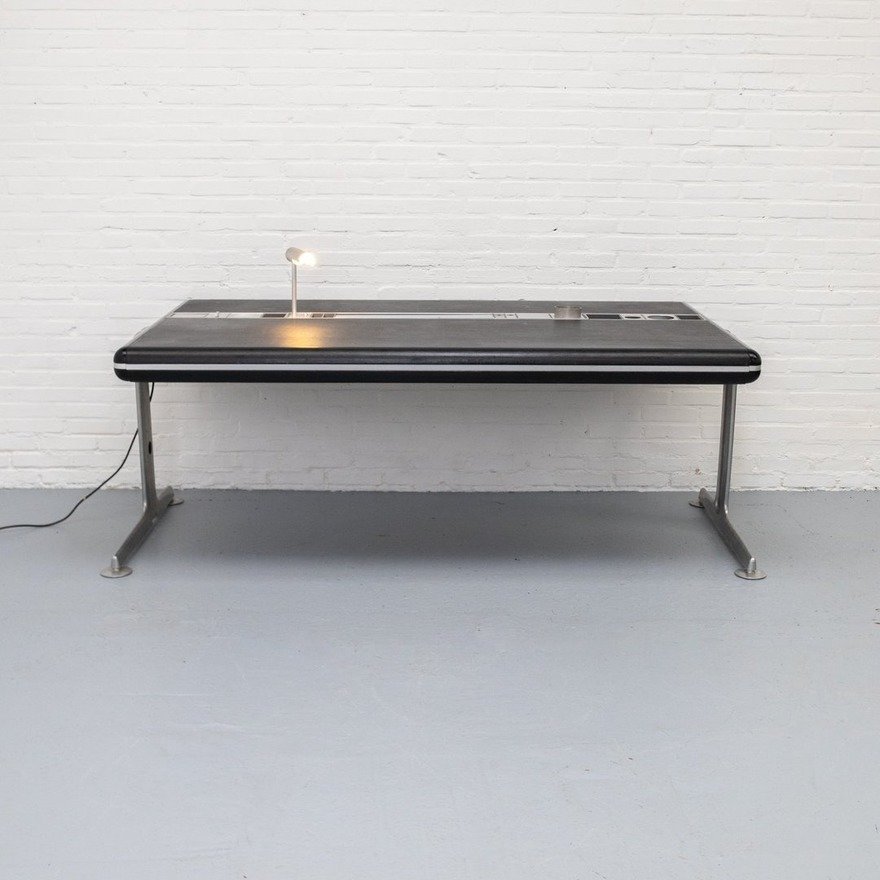
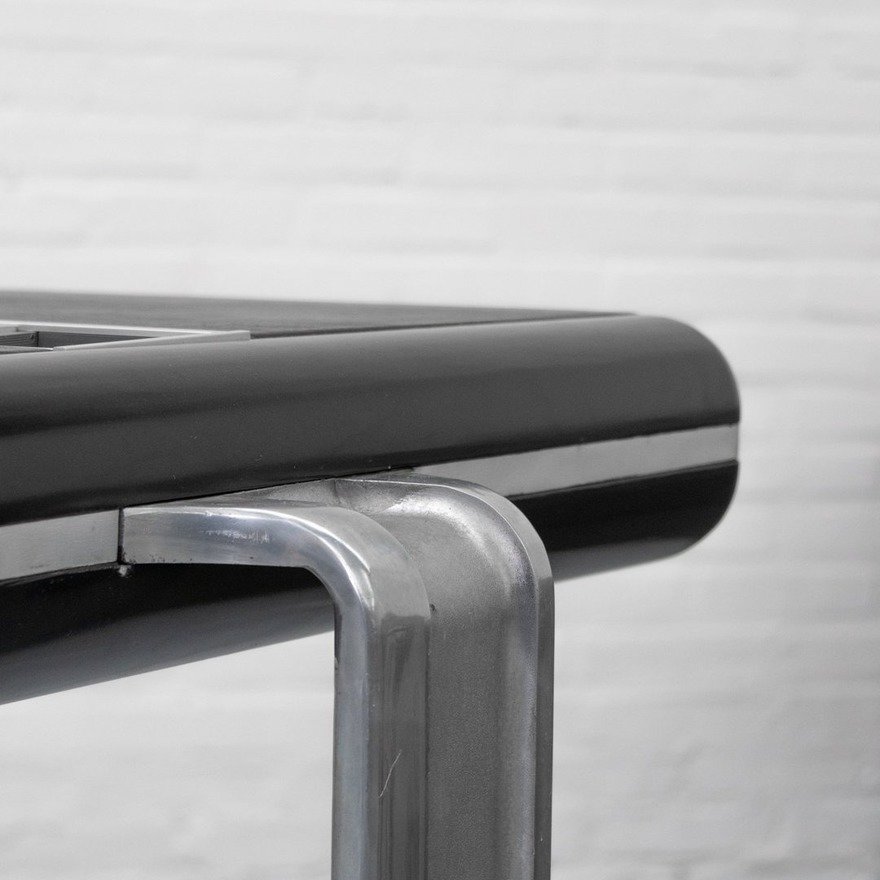
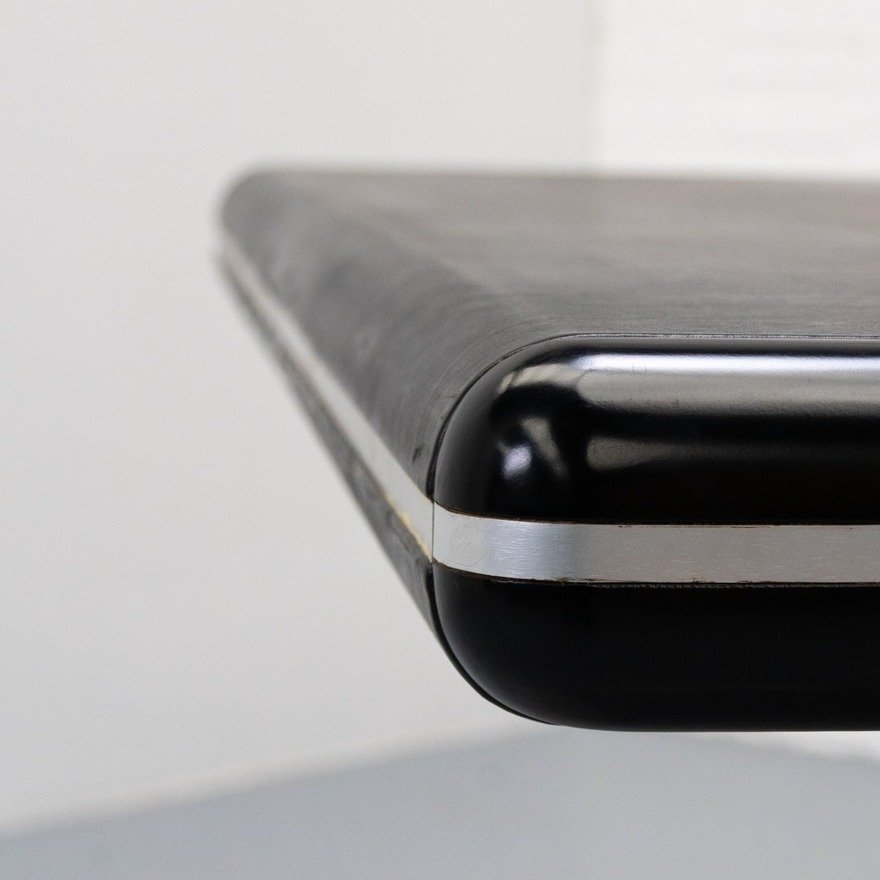
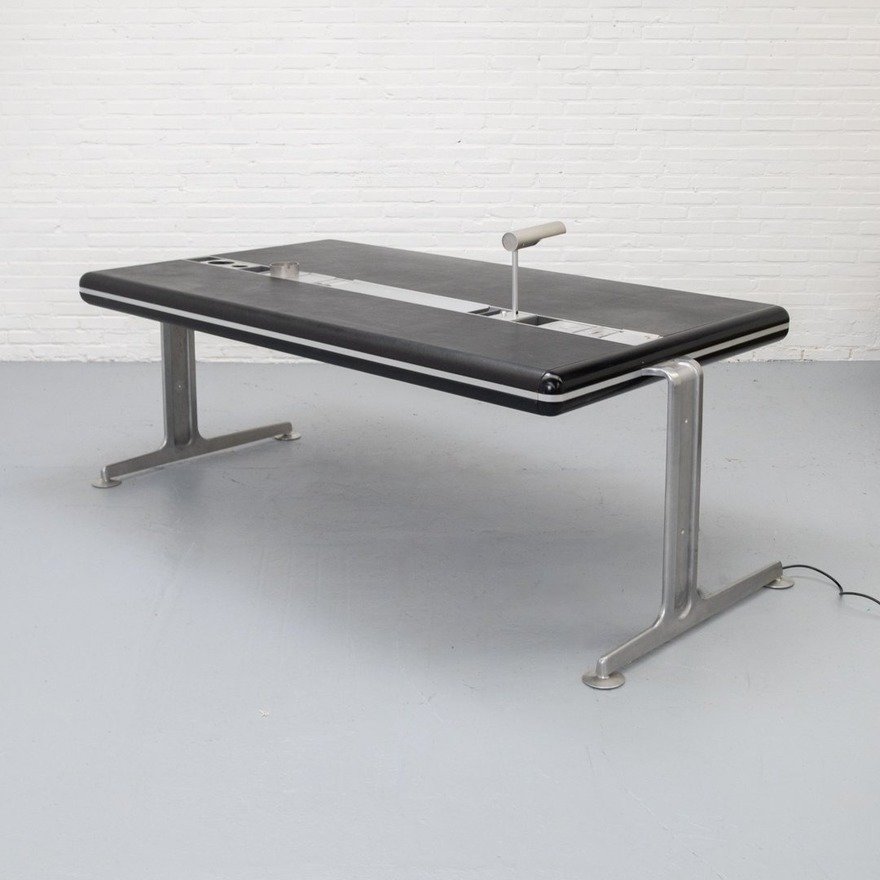
Though this was designed in the 1970s, this desk looks closer to modern-day furniture than say, a desk from the 1950s.
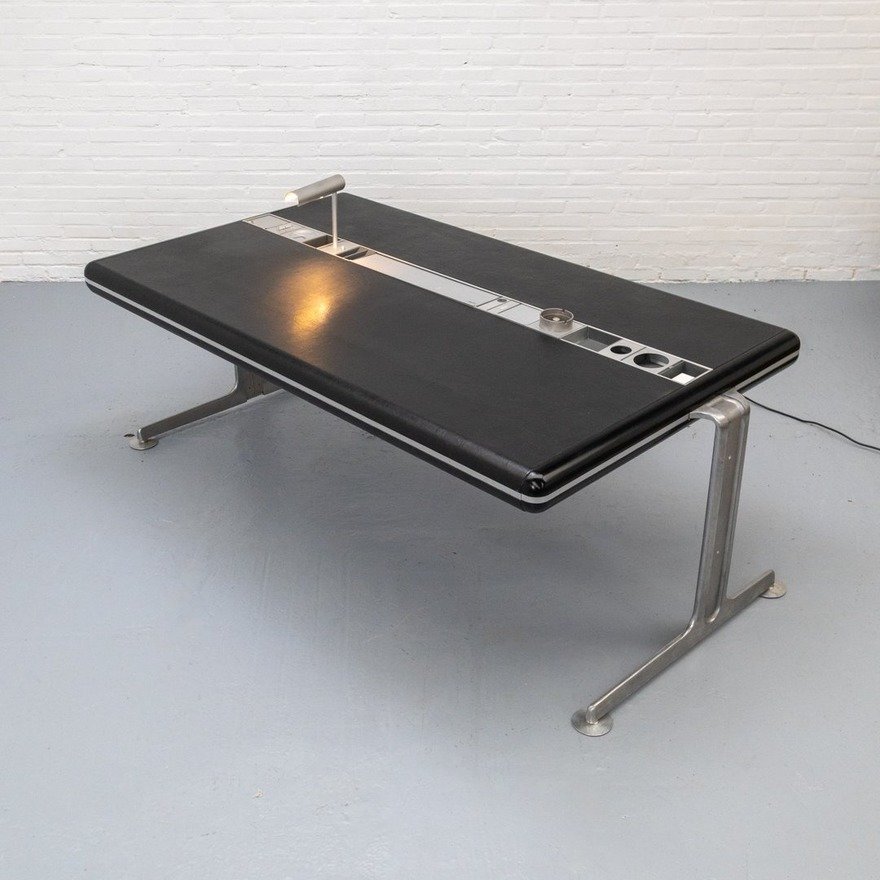
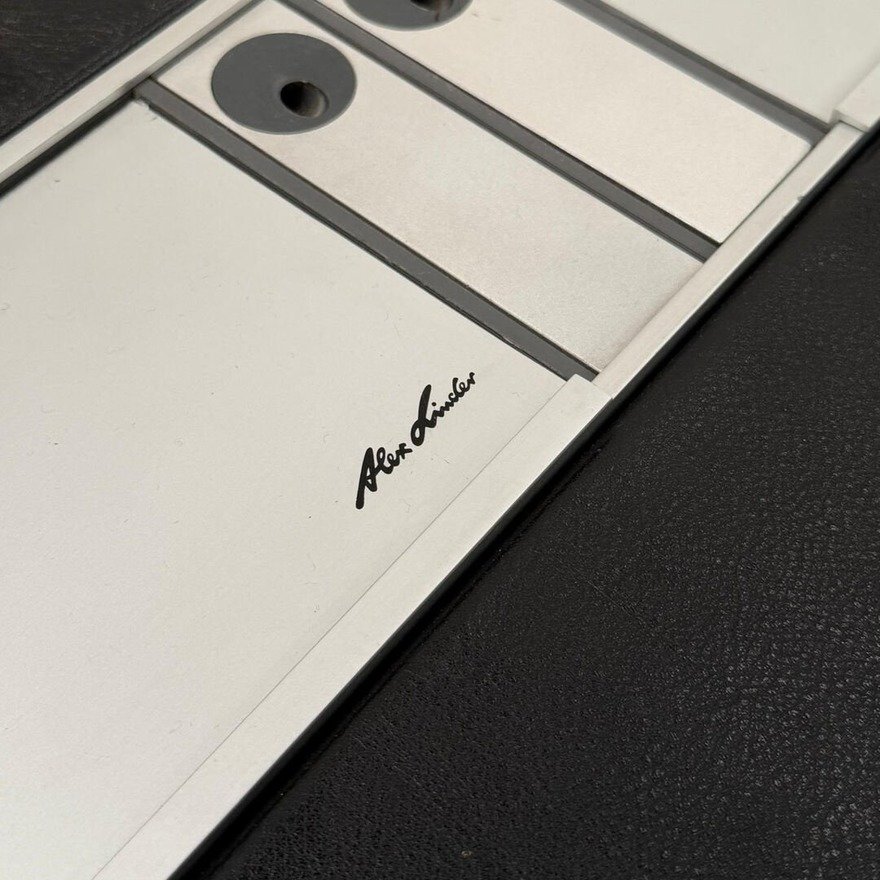
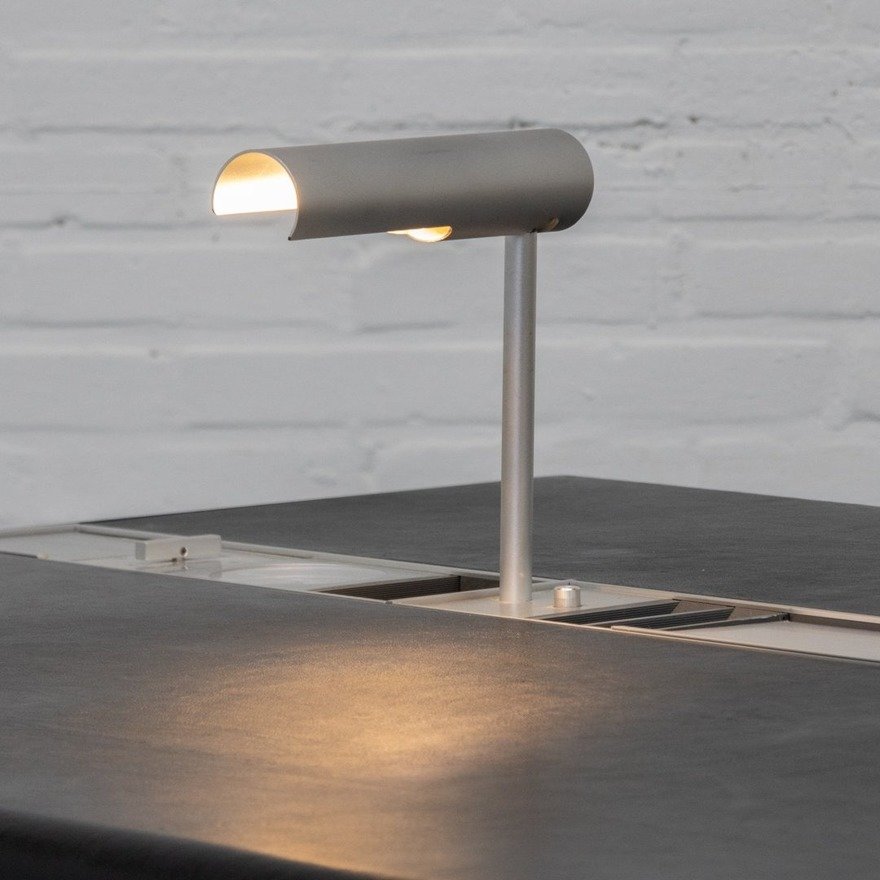
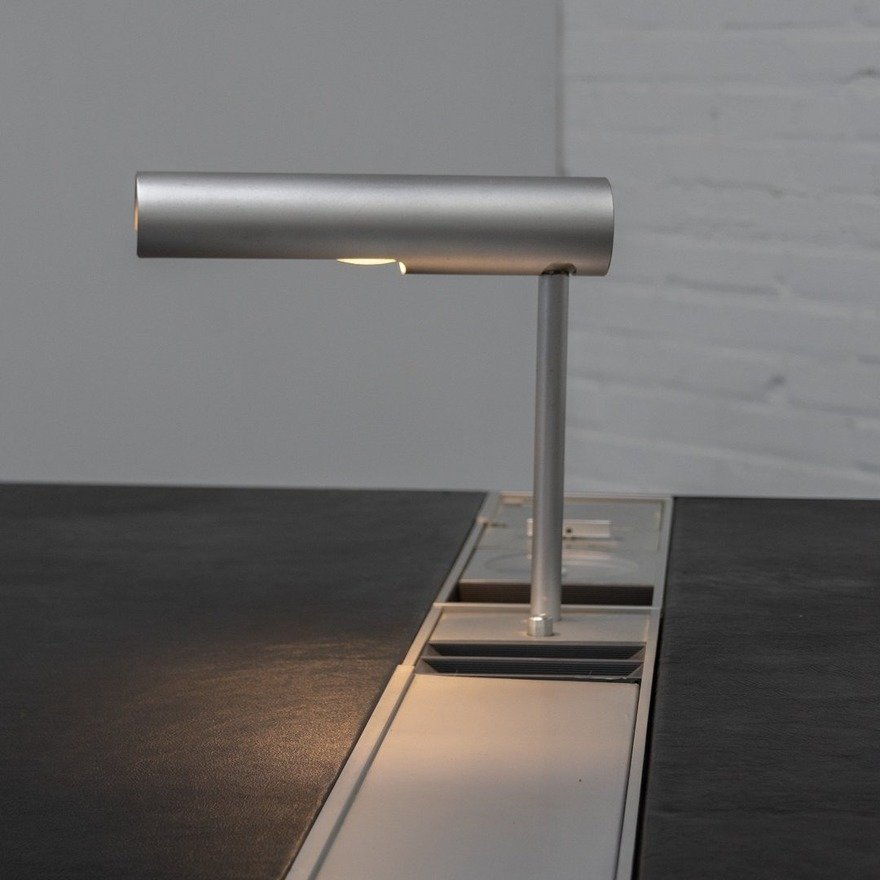
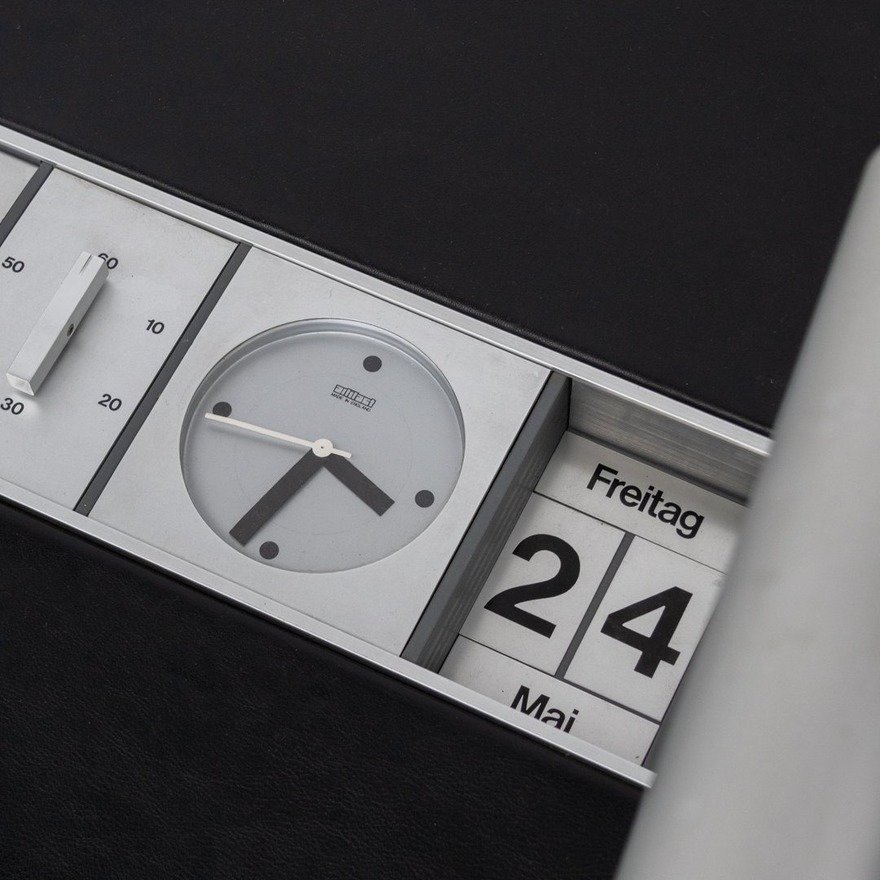
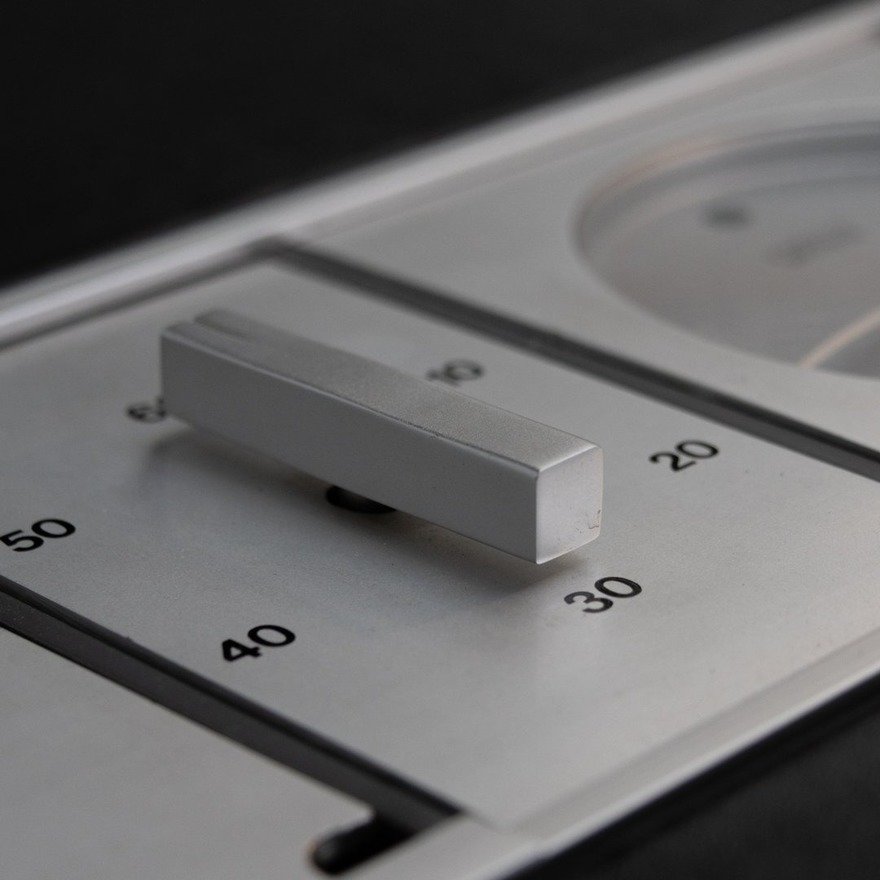
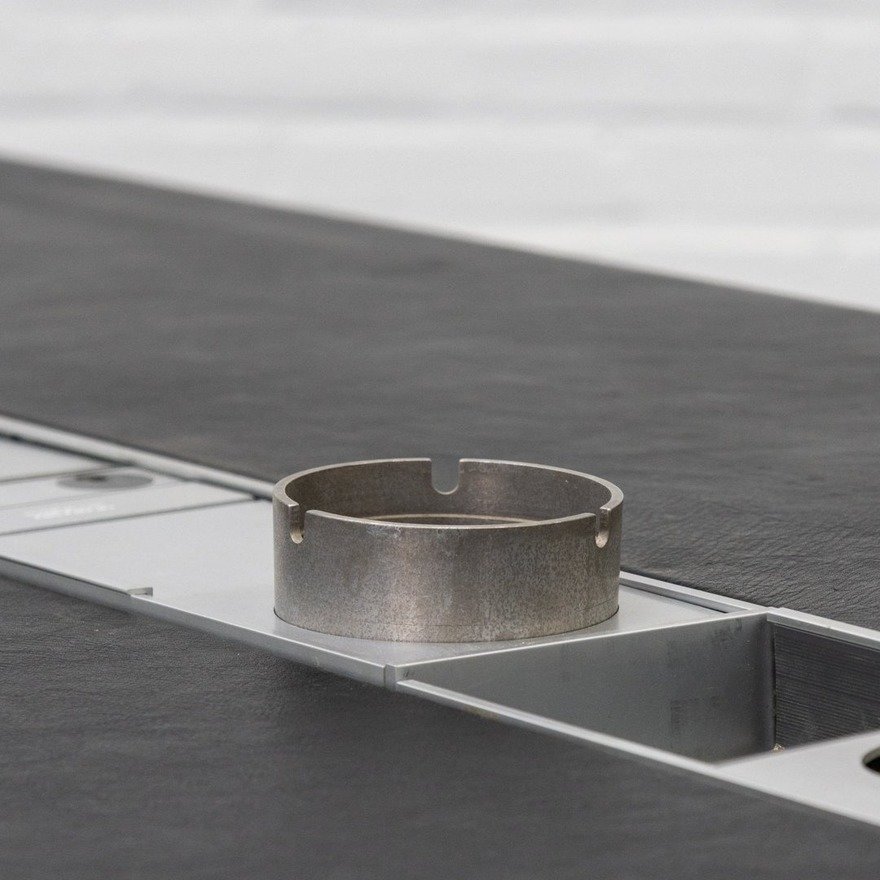
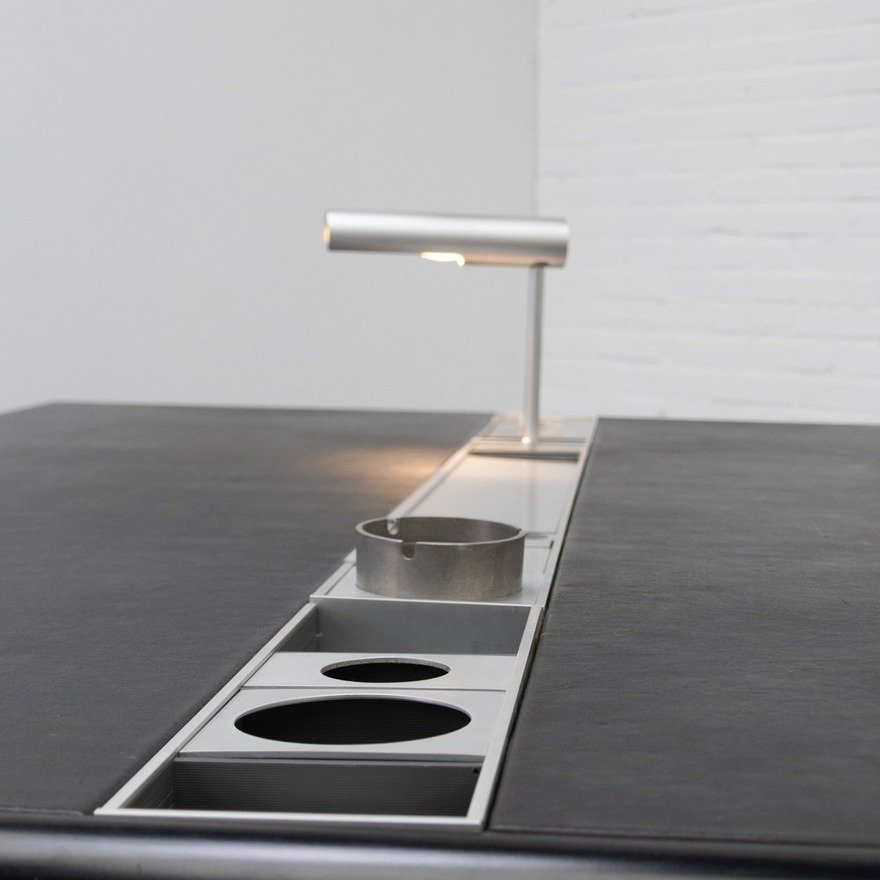
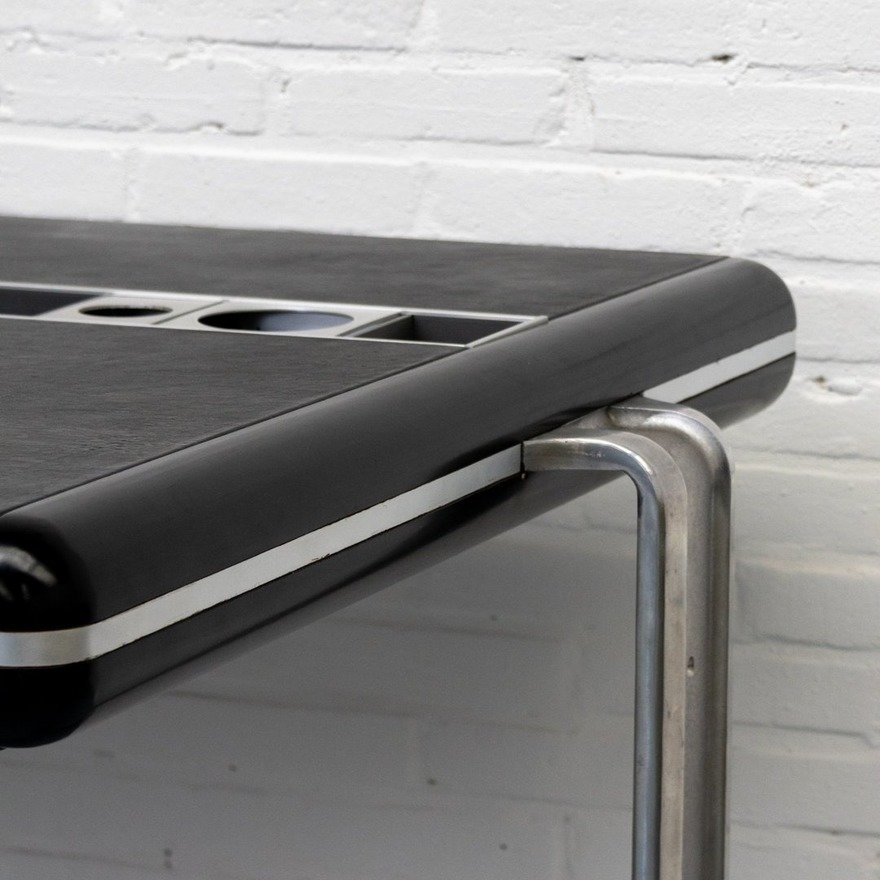
Danish designer Alex Linder’s Executive Desk has no drawers, and features a recessed aluminum rail that takes a variety of accessories: A desk lamp, a clock, a calendar, a countdown timer (presumably for meetings), little storage bins and, this being the ’70s, an ashtray.
The user chooses where to place the accessories within the rail.
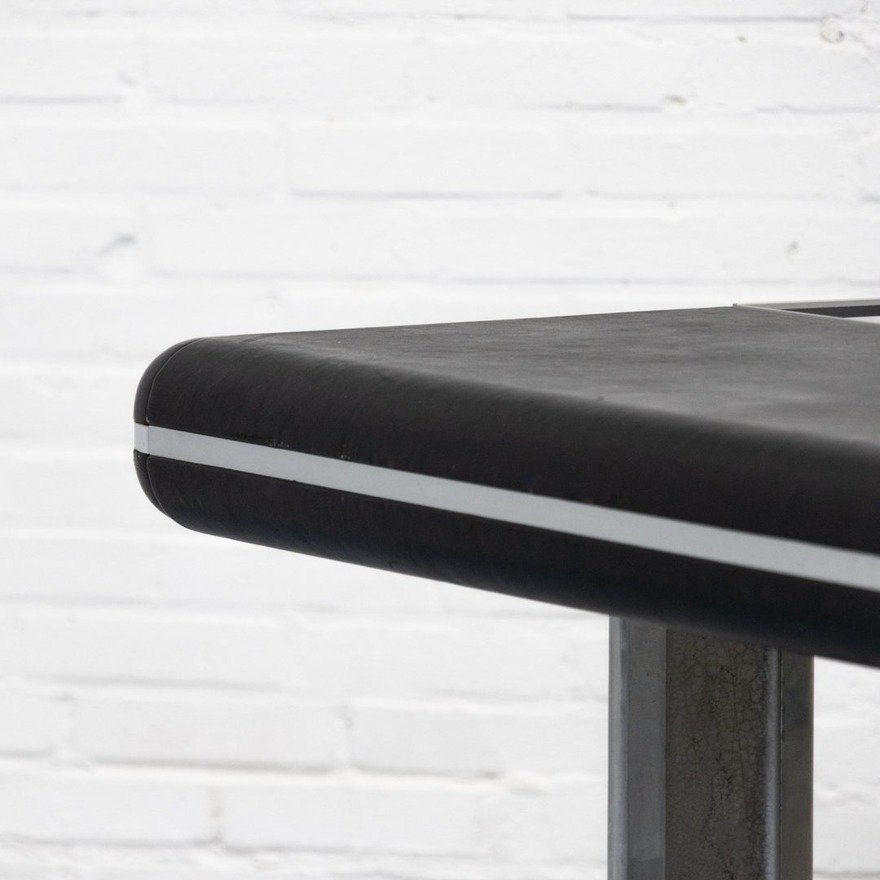
The desk surface is leather, an unusual choice both now and then.
If this thing was height-adjustable and had appeared on a current-day Kickstarter, I wouldn’t bat an eye.