I’m happy to announce Finch: a new MySQL benchmarking tool for experts, developers, and modern infrastructure.
TL;DR: https://square.github.io/finch/
Planet MySQL
Just another WordPress site
I’m happy to announce Finch: a new MySQL benchmarking tool for experts, developers, and modern infrastructure.
TL;DR: https://square.github.io/finch/
Planet MySQL
https://laravelnews.s3.amazonaws.com/images/phpsandbox.jpg
PHPSandbox is a web app that allows you to quickly prototype or share PHP projects without setting up a local environment.
It’s a pretty neat service because it allows you to test all kinds of things, such as the new “slim skeleton” in Laravel 11, or our Livewire Volt demo app, and even the new Laravel Prompts feature that Jess Archer demoed at Laracon.

Here are some more of the features PHPSandbox includes:
PHPSandbox automatically provisions a permanent preview URL for your project so you can see your changes instantly.
Multiple PHP Versions, all PHP extensions you need, and a full-featured Linux environment.
Import an existing public composer project from GitHub or Export your projects on PHPSandbox to GitHub.
The Composer integration allows you to use Composer in your projects while they ensure it keeps working.
Configure your environment to your liking. Do you want to change your PHP version or your public directory? No problem.
The JavaScript and CSS ecosystem have had code playgrounds, but this is one of the nicest ones available for PHP. The base plan is free, and they have an upgraded professional plan for $6 a month, including private repos, email captures, and more.
But the base plan works great for quickly testing out packages and making demos of your next tutorial.
Laravel News
https://www.percona.com/blog/wp-content/uploads/2023/07/Dynamic-SQL-200×119.jpg
Dynamic SQL is a desirable feature that allows developers to construct and execute SQL statements dynamically at runtime. While MySQL lacks built-in support for dynamic SQL, this article presents a workaround using prepared statements. We will explore leveraging prepared statements to achieve dynamic query execution, parameterized queries, and dynamic table and column selection.
Prepared statements refer to the ability to construct SQL statements dynamically at runtime rather than writing them statically in the code. This provides flexibility in manipulating query components, such as table names, column names, conditions, and sorting. The EXECUTE and PREPARE statements are key components for executing dynamic SQL in MySQL.
Example usage: Let’s consider a simple example where we want to construct a dynamic SELECT statement based on a user-defined table name and value:
SET @table_name := 't1';
SET @value := '123';
SET @sql_query := CONCAT('SELECT * FROM ', @table_name, ' WHERE column = ?');
PREPARE dynamic_statement FROM @sql_query;
EXECUTE dynamic_statement USING @value;
DEALLOCATE PREPARE dynamic_statement;
In this example, we use the CONCAT function to construct the dynamic SQL statement. The table name and value are stored in variables and concatenated into the SQL string.
Let’s look at another scenario:
Killing queries for a specific user:
CREATE PROCEDURE kill_all_for_user(user_connection_id INT)
BEGIN
SET @sql_statement := CONCAT('KILL ', user_connection_id);
PREPARE dynamic_statement FROM @sql_statement;
EXECUTE dynamic_statement;
END;
In this case, the prepared statement is used to dynamically construct the KILL statement to terminate all queries associated with a specific user.
You might use prepared statements to make dynamic queries, but dynamic queries can definitely make debugging more challenging. You should consider implementing some additional testing and error handling to help mitigate this issue. That could help you catch any issues with the dynamic queries early on in the development process.
Percona Monitoring and Management is a best-of-breed open source database monitoring solution. It helps you reduce complexity, optimize performance, and improve the security of your business-critical database environments, no matter where they are located or deployed.
Download Percona Monitoring and Management Today
Planet MySQL
https://www.louderwithcrowder.com/media-library/image.png?id=34709900&width=980
Sneaking in before the deadline, we here at the Louder with Crowder Dot Com website are declaring this man to be our Content King for the month of July. He didn’t start the day wanting to be a hero. Our man just wanted to buy some bloody strawberries. That’s where he learned what a cashless store was. And the cashless store learned they can go f*ck themselves.
A better IRL version of Jean Valjean I cannot imagine.
"If you want to call the police, call the police. I have paid my legal tender. And I’m going to leave with my strawberries. I’m going to eat my strawberries. I paid my legal tender in this dystopian place."
Shout out to this guy applauding, who would have given our hero a standing ovation if… you know.
There is context missing because obviously there was a dispute before this video starts. No one in the store had the foresight to remember to do it for the content early on and whip out their smartphones.
What we missed was the man being informed that his $4.22 purchase (I converted to real American money since none of you care about the pound sterling) needed to be made via credit card or cash app. Our hero said that was bollocks and that he wasn’t going to put a five-dollar purchase on his credit card. Also, they can take their ApplePay and stick it up their nose. The clerk said "Then you don’t get strawberries" and our hero started his patriotic dissent.
The idea of a "cashless" society is a controversial one. The Associated Press has issued a "fact" "check" claiming a video showing an elitist telling you the coming digital cashless society will be regulated and undesirable purchases will be controlled is misleading and out of context. They also claimed Democrats didn’t want to ban gas stoves. The fact that these words are even being said out loud is the problem.
Is the Left saying verbatim "We are going to use digital currency to control what you are allowed to buy?" No. Would any of you put it past them? Also no.
Republican presidential candidate Ron DeSantis promises on day one, he is banning central bank digital currencies. "I think it’s a huge threat to freedom. I think it’s a huge threat to privacy … it will allow [elitists] to block what they consider to be undesirable purchases, like too much fuel, … they just won’t let the transaction go through. [Or on] ammunition."
This old-based dude showed us the way. He showed us the way with strawberries.
The runners-up for July’s Content Kings are also from Europe: The bachelor party that stopped Just Stop Oil and the leggy German broad who yeeted protestors off the road by the hair. Step your game up, ‘Merica!
><><><><><><
Brodigan is Grand Poobah of this here website and when he isn’t writing words about things enjoys day drinking, pro-wrestling, and country music. You can find him on the Twitter too.
Facebook doesn’t want you reading this post or any others lately. Their algorithm hides our stories and shenanigans as best it can. The best way to stick it to Zuckerface? Bookmark LouderWithCrowder.com and check us out throughout the day! Also, follow us on Instagram and Twitter.
Louder With Crowder
https://s.yimg.com/os/creatr-uploaded-images/2023-07/9c89c3e0-2d72-11ee-9f97-e965bc439d43
Novelty accessory maker 8BitDo today announced a new mechanical keyboard inspired by Nintendo’s NES and Famicom consoles from the 1980s. The $100 Retro Mechanical Keyboard works in wired / wireless modes, supports custom key mapping and includes two giant red buttons begging to be mashed.
The 8BitDo Retro Mechanical Keyboard ships in two colorways: the “N Edition” is inspired by the Nintendo Entertainment System (NES), and the “Fami Edition” draws influence from the Nintendo Famicom. Although the accessory-maker likely toed the line enough to avoid unwelcome attention from Nintendo’s lawyers, the color schemes match the classic consoles nearly perfectly: The NES-inspired variant ships in a familiar white / dark gray / black color scheme, while the Famicom-influenced one uses white / crimson.
The Fami Edition includes Japanese characters below the English markings for each standard alphanumerical key. The keyboard’s built-in dials and power indicator also have a charmingly old-school appearance. And if you want to customize the keyboard’s hardware, you can replace each button on its hot-swappable printed circuit board (PCB). 8BitDo tells Engadget it uses Kailh Box White Switches V2 for the keyboard and Gatreon Green Switches for the Super Buttons.
As for what those bundled Super Buttons do, that’s up to you: The entire layout, including the two ginormous buttons, is customizable using 8BitDo’s Ultimate Software. The company tells Engadget they connect directly to the keyboard via a 3.5mm jack. And if the two in the box aren’t enough, you can buy extras for $20 per set.
The 87-key accessory works with Bluetooth, 2.4 GHz wireless and USB wired modes. Although the keyboard is only officially listed as compatible with Windows and Android, 8BitDo confirmed to Engadget that it will also work with macOS. It has a 2,000mAh battery for an estimated 200 hours of use from four hours of charging.
Pre-orders for the 8BitDo Retro Mechanical Keyboard are available starting today on Amazon and direct at 8BitDo. The accessory costs $100 and is estimated to begin shipping on August 10th.
This article originally appeared on Engadget at https://www.engadget.com/8bitdos-nintendo-inspired-mechanical-keyboard-has-super-buttons-just-begging-to-be-mashed-150024778.html?src=rssEngadget
https://i.kinja-img.com/gawker-media/image/upload/c_fill,f_auto,fl_progressive,g_center,h_675,pg_1,q_80,w_1200/2a0328e61c23c55902592781dc37a5db.jpg
Since the LEGO system was introduced in the mid-1950s, the sets of interlocking blocks, figures, and other pieces have been popular with people of all ages (except, maybe, the people who accidentally step on the blocks while barefoot).
In addition to providing the opportunity for creative play—allowing children to design and build their own structures—LEGO has released thousands of sets with the pieces and instructions for a specific building, design, vehicle, and countless other objects. Now, building instruction booklets for more than 6,800 different sets are available to download for free at the Internet Archive. Here’s what to know.
Created on May 29, 2023, the Internet Archive’s LEGO Building Instructions collection contains “a dump of all available building instruction booklet PDFs from the LEGO website” as of March 2023, according to the description on the site.
You can search for sets by their number or name, or simply browse the collection. At this point, it’s not possible to sort the instructions based on the date they were initially released, but you can sort them by the number of views that particular week, or since the collection launched.
Currently, the most popular instructions are the ones for the Colosseum, the Galaxy Explorer, and the cover photo of Meet the Beatles.
Of course, the Internet Archive collection isn’t the only site with information about LEGO, including build instructions. A few others include:
Lifehacker
https://static1.makeuseofimages.com/wordpress/wp-content/uploads/2023/07/power-bi-tables.jpg
In Power BI, fact and dimension tables play a crucial role in organizing and analyzing data. With a clear understanding of the difference between these two types of tables, you can build an effective data model and make more informed business decisions from your data.
In this article, we’ll start by establishing a solid understanding of fact and dimension tables and then explore the differences between them.
A fact table serves as the central table in your data model. This table holds foreign keys that reference primary keys in your dimension tables. Each foreign key corresponds to specific primary key values in a dimension table.
Fact tables can also contain numeral data you can use to perform calculations within your analysis. Such calculations help with making informed business decisions. For instance, you can include sales orders and log tables in a fact table.
Dimension tables contain data that provide context and descriptions to fact tables. These tables are typically smaller than the fact table and contain primary keys as well as distinct item values. Primary keys are specific items that allow for the unique identification of each row in your table.
For instance, you might have a dimension table that includes product names and their labels, the data table for your Power BI model, store locations, or even pin codes.
Fact and dimension tables differ in more ways than just their size. Here are the key difference between the two tables:
Clearly defining the difference between fact and dimension tables in Power BI is crucial in building an effective data model. Understanding the distinctions between the two will also help you decide which table best suits data aggregation and which is best for filtering.
A solid grasp of Power BI’s various components can make all the difference in your data analysis.
MakeUseOf
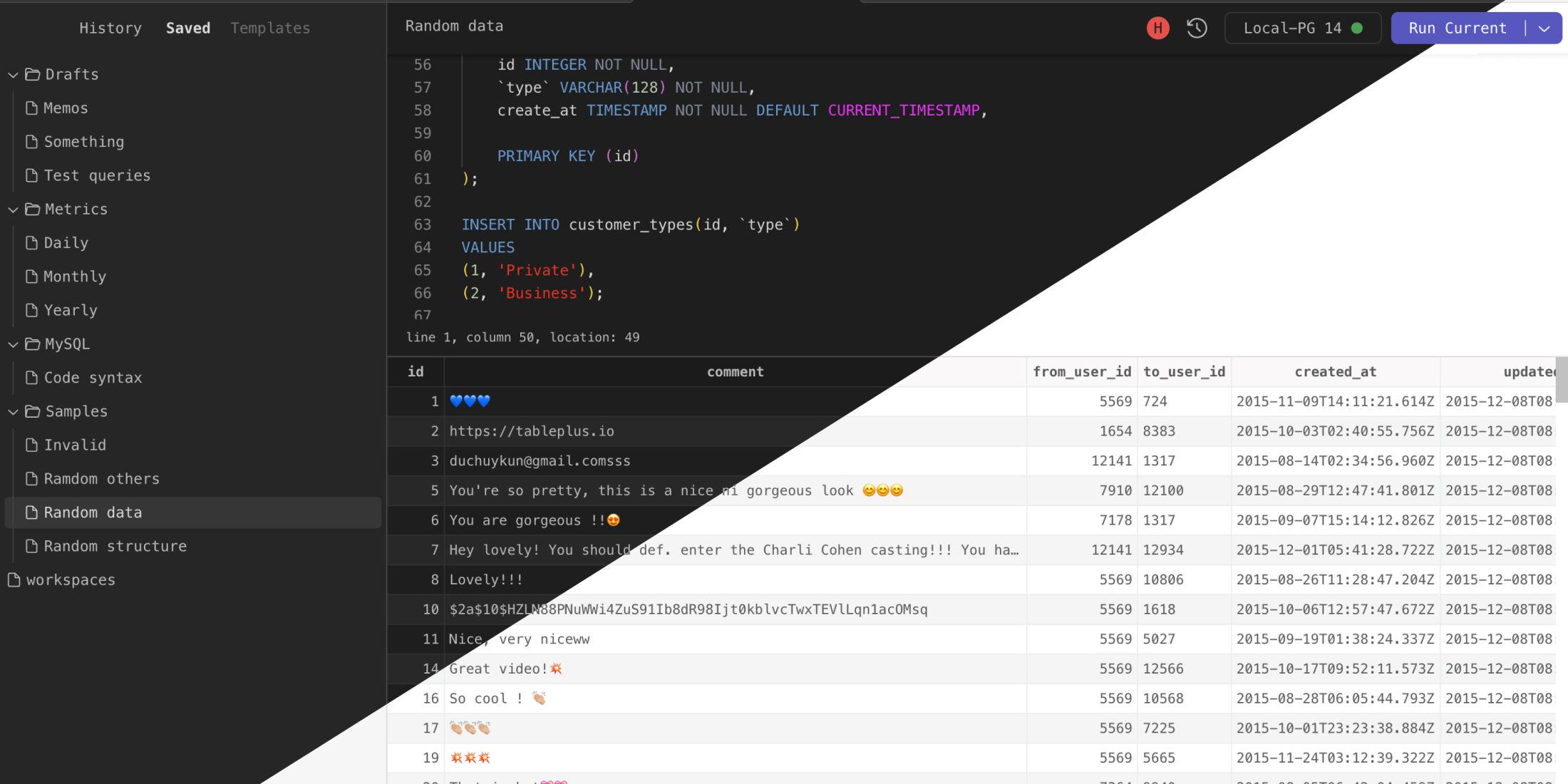
It is necessary to have a reliable and efficient way to transfer data from databases to the BI tool. MySQL, one of the most popular open-source relational database management systems, comes in here. This article will explore how to connect MySQL to Tableau and share data seamlessly between the two.
The post How to Connect MySQL to Tableau: A Guide for BI Professionals appeared first on Devart Blog.
Planet MySQL
https://static1.makeuseofimages.com/wordpress/wp-content/uploads/wm/2023/07/dirty-iphone-speaker.jpg
No matter how often you clean your iPhone, your iPhone’s speakers and other ports will likely collect dust, dirt, lint, and other particles over time.
Because of this, you might notice poor speaker audio quality and have trouble connecting your charging cable to your device.
Fortunately, you can easily fix these issues by cleaning your iPhone’s speaker grilles and other ports. Let’s walk through the best ways to clean your iPhone’s speakers.
Using a toothbrush or any soft brush to gently clean your iPhone’s speakers is one of the best ways to get rid of the dirt clogged into the top speaker above the screen. However, try to brush out the dust at an angle that you won’t push the particles further inside.
While it might not be ideal for clearing the bottom grille, as it risks ruining the speakers if you accidentally apply too much pressure, you can use a toothbrush to remove dust from the earpiece speaker.
Start by gently bruising from side to side and slowly start scraping in a circular motion, like you’d while brushing your teeth (but not as aggressively), to pull out dust. Repeat the process several times for the best result.
While brushing out the dust is one of the best ways to keep your iPhone clean, this method might not clean the speaker grilles thoroughly. After all, gently scrubbing a toothbrush won’t remove stubborn debris or lint build-up into your iPhone’s speakers.
Therefore, you should use cotton swabs next to go deeper without having to worry about ruining your iPhone’s speakers. To get the best results, remove your iPhone’s case so that you can easily deep clean the speaker grille.
Point a cotton swab straight over the speaker holes and gently apply pressure to ensure it collects all the debris clogged inside. Slowly roll the cotton back and forth over the mesh. It’s also one of the best fixes when your iPhone’s speakers aren’t working.
Use a toothpick to go even deeper to clear out the lint from your iPhone’s speakers. However, be cautious while using it to do this job, as it can damage the internals if not used correctly.
A toothpick isn’t as sharp as a SIM ejector tool, tweezers, or paper clip, but it can still pierce through the mesh. We recommend using this method only to clean the bottom speakers and avoid using it on the earpiece.
To do this, point the toothpick at each speaker opening while being gentle. Then slowly slide the toothpick over each gap, scratching it lightly, and pull it out. Use a flashlight if necessary to have a clear vision of where you’re moving the toothpick. You can also use this method to clean your iPhone’s charging port.
If you aren’t comfortable using a toothpick to clean your iPhone’s speakers, you can use painter’s tape instead to remove stubborn dust particles stuck deep inside the grille. You can also use this after the aforementioned methods to extract the remaining tiny dust particles.
To use painter’s tape to clear your iPhone’s speakers, cut off a small portion of the tape and roll it into a cylinder shape, sticky side out. Insert the tape into the iPhone speaker after wrapping it around your index finger.
Use the tape to collect all the dirt and debris gathered in the speaker grilles. Check the tape’s surface after each application. Throw the used tape and roll another small piece of tape if necessary. Repeat the process until you notice no dirt and lint adhering to it.
You can also use a soft tip air blower to clean your iPhone’s speakers, as they provide less pressure than compressed air in a can. After using the soft bristle brush to remove any dirt, you might want to use an air blower to help clear the area if you aren’t comfortable using a toothpick or don’t have access to painter’s tape.
To clear your speakers of any debris, blow short bursts of air. Also, maintain a close gap to the speakers while using the air blower.
Using these methods, you can easily clean your iPhone’s dirty speakers. However, there are a few other methods that you should avoid using to clear the grille. You shouldn’t use sharp objects like needles, tweezers, or pins to clean the speakers.
Also, avoid using any kind of cleaning liquid, such as rubbing alcohol or water, to remove dirt from your iPhone’s speakers. Apple also officially advises not to use canned, compressed air to clean your iPhone’s speakers as it might force the dust further into the device.
MakeUseOf
https://static1.makeuseofimages.com/wordpress/wp-content/uploads/wm/2023/07/dirty-iphone-speaker.jpg
No matter how often you clean your iPhone, your iPhone’s speakers and other ports will likely collect dust, dirt, lint, and other particles over time.
Because of this, you might notice poor speaker audio quality and have trouble connecting your charging cable to your device.
Fortunately, you can easily fix these issues by cleaning your iPhone’s speaker grilles and other ports. Let’s walk through the best ways to clean your iPhone’s speakers.
Using a toothbrush or any soft brush to gently clean your iPhone’s speakers is one of the best ways to get rid of the dirt clogged into the top speaker above the screen. However, try to brush out the dust at an angle that you won’t push the particles further inside.
While it might not be ideal for clearing the bottom grille, as it risks ruining the speakers if you accidentally apply too much pressure, you can use a toothbrush to remove dust from the earpiece speaker.
Start by gently bruising from side to side and slowly start scraping in a circular motion, like you’d while brushing your teeth (but not as aggressively), to pull out dust. Repeat the process several times for the best result.
While brushing out the dust is one of the best ways to keep your iPhone clean, this method might not clean the speaker grilles thoroughly. After all, gently scrubbing a toothbrush won’t remove stubborn debris or lint build-up into your iPhone’s speakers.
Therefore, you should use cotton swabs next to go deeper without having to worry about ruining your iPhone’s speakers. To get the best results, remove your iPhone’s case so that you can easily deep clean the speaker grille.
Point a cotton swab straight over the speaker holes and gently apply pressure to ensure it collects all the debris clogged inside. Slowly roll the cotton back and forth over the mesh. It’s also one of the best fixes when your iPhone’s speakers aren’t working.
Use a toothpick to go even deeper to clear out the lint from your iPhone’s speakers. However, be cautious while using it to do this job, as it can damage the internals if not used correctly.
A toothpick isn’t as sharp as a SIM ejector tool, tweezers, or paper clip, but it can still pierce through the mesh. We recommend using this method only to clean the bottom speakers and avoid using it on the earpiece.
To do this, point the toothpick at each speaker opening while being gentle. Then slowly slide the toothpick over each gap, scratching it lightly, and pull it out. Use a flashlight if necessary to have a clear vision of where you’re moving the toothpick. You can also use this method to clean your iPhone’s charging port.
If you aren’t comfortable using a toothpick to clean your iPhone’s speakers, you can use painter’s tape instead to remove stubborn dust particles stuck deep inside the grille. You can also use this after the aforementioned methods to extract the remaining tiny dust particles.
To use painter’s tape to clear your iPhone’s speakers, cut off a small portion of the tape and roll it into a cylinder shape, sticky side out. Insert the tape into the iPhone speaker after wrapping it around your index finger.
Use the tape to collect all the dirt and debris gathered in the speaker grilles. Check the tape’s surface after each application. Throw the used tape and roll another small piece of tape if necessary. Repeat the process until you notice no dirt and lint adhering to it.
You can also use a soft tip air blower to clean your iPhone’s speakers, as they provide less pressure than compressed air in a can. After using the soft bristle brush to remove any dirt, you might want to use an air blower to help clear the area if you aren’t comfortable using a toothpick or don’t have access to painter’s tape.
To clear your speakers of any debris, blow short bursts of air. Also, maintain a close gap to the speakers while using the air blower.
Using these methods, you can easily clean your iPhone’s dirty speakers. However, there are a few other methods that you should avoid using to clear the grille. You shouldn’t use sharp objects like needles, tweezers, or pins to clean the speakers.
Also, avoid using any kind of cleaning liquid, such as rubbing alcohol or water, to remove dirt from your iPhone’s speakers. Apple also officially advises not to use canned, compressed air to clean your iPhone’s speakers as it might force the dust further into the device.
MakeUseOf