https://blogs.oracle.com/mysql/wp-content/uploads/sites/102/2026/08/workbench-announce.png
The MySQL team at Oracle is excited to announce MySQL Workbench 26.7, the first of a new generation of the GUI administration and development tool for MySQL.
A New Workbench
MySQL Workbench 8 has served the community well, but it’s now old and has reached end of life. Its architecture, built on C++ and platform specific front-ends for Windows, macOS and Linux, has become increasingly difficult to extend and maintain.
MySQL Workbench 26 obsoletes MySQL Workbench 8.0. If you’re still running the old Workbench, now is the time to make the switch. MySQL Workbench 8.0 is no longer maintained and will have no new releases.
In order to better focus our efforts, the MySQL Shell for VS Code extension is discontinued as well.
Its capabilities are being carried forward into the new Workbench.
Built on MySQL Shell
The biggest change under the hood: the new Workbench is a desktop application built on top of MySQL Shell, using modern web frameworks and ElectronJS. Rather than reinventing core database functionality, Workbench now leverages the same battle-tested engine that powers MySQL Shell’s extensive scripting and admin capabilities.
From this shared foundation we get:
- Functional consistency between the CLI (MySQL Shell) and the desktop app
- Faster iteration on new features across the whole toolchain
- A modern, HTML and JavaScript based UI that’s easier to theme, extend, and maintain
Server Compatibility
MySQL Workbench 26.7 supports MySQL 8.4 LTS and newer, MySQL 9.7 LTS, the latest MySQL 26.7 and innovation releases in between.
MySQL 8.0 and older EOL versions of MySQL may work, but are not officially supported. YMMV.
As with MySQL Shell, and unlike the MySQL server, MySQL Workbench follows a single version series model. This means there is a single latest version of MySQL Workbench, which is backwards compatible and supports all currently supported versions of the MySQL server. Users are recommended to always use the latest version.
What’s New (and What’s Coming)
The new Workbench ships with many of the features you already know from Workbench 8.0, alongside new capabilities enabled by the MySQL Shell foundation.
Development
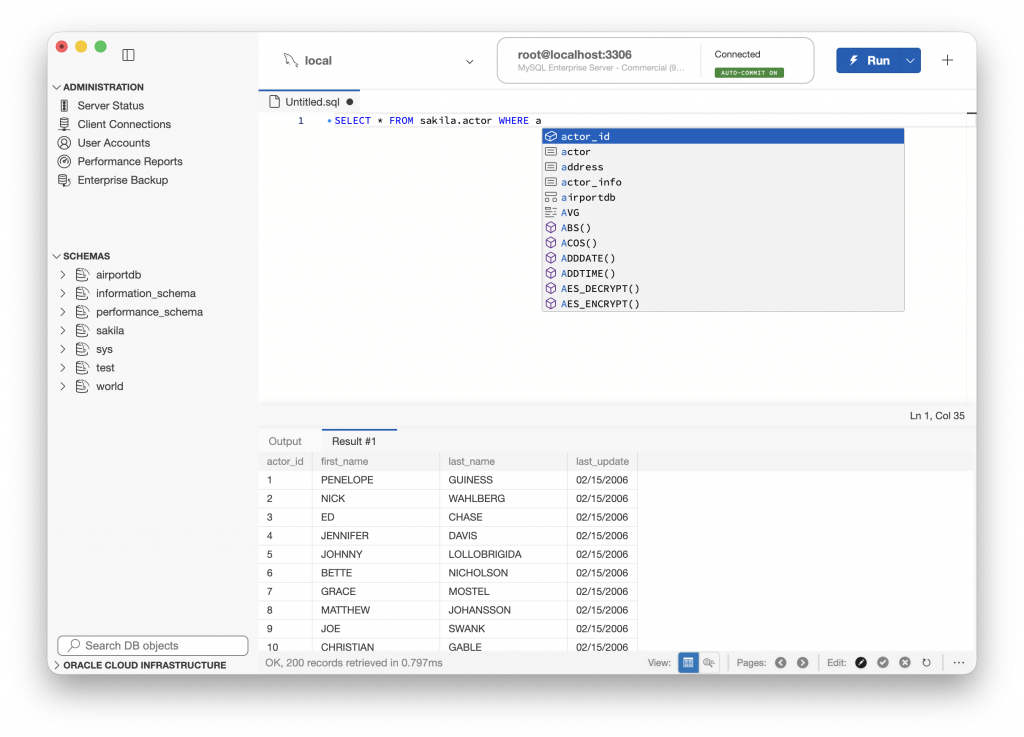
SQL Script Editor – the traditional SQL script editor, with full or step-by-step execution, syntax highlighting, code-completion, result viewer and editor view and more
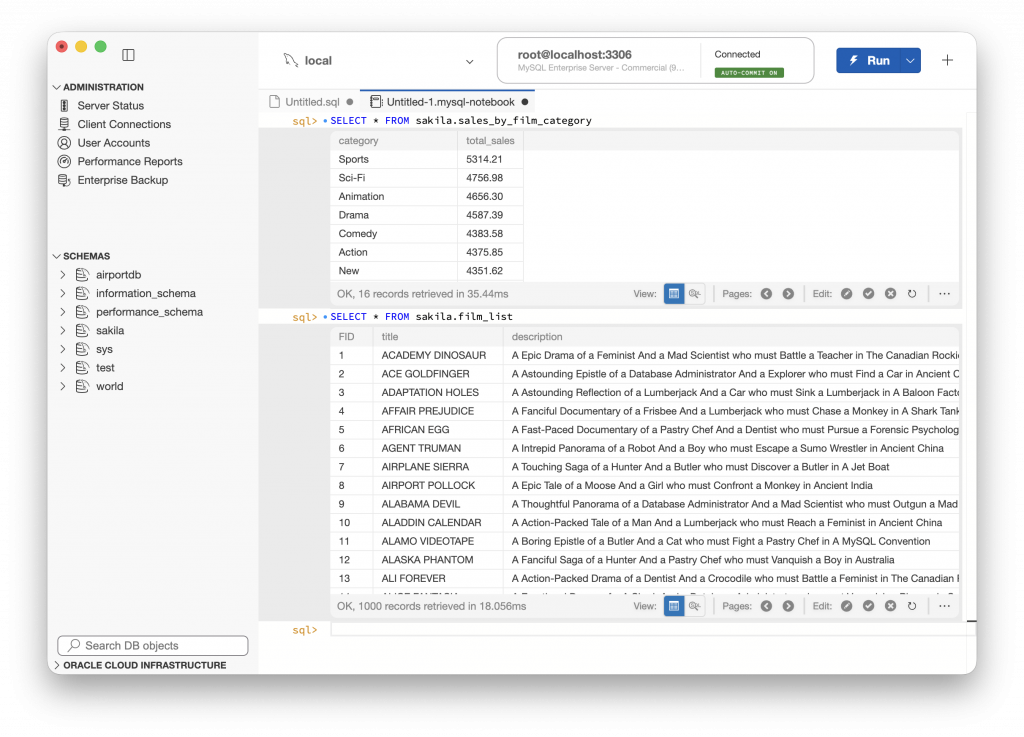
SQL Notebooks — a new, notebook-style way of working with SQL, mixing queries, results, and notes in a single interactive document
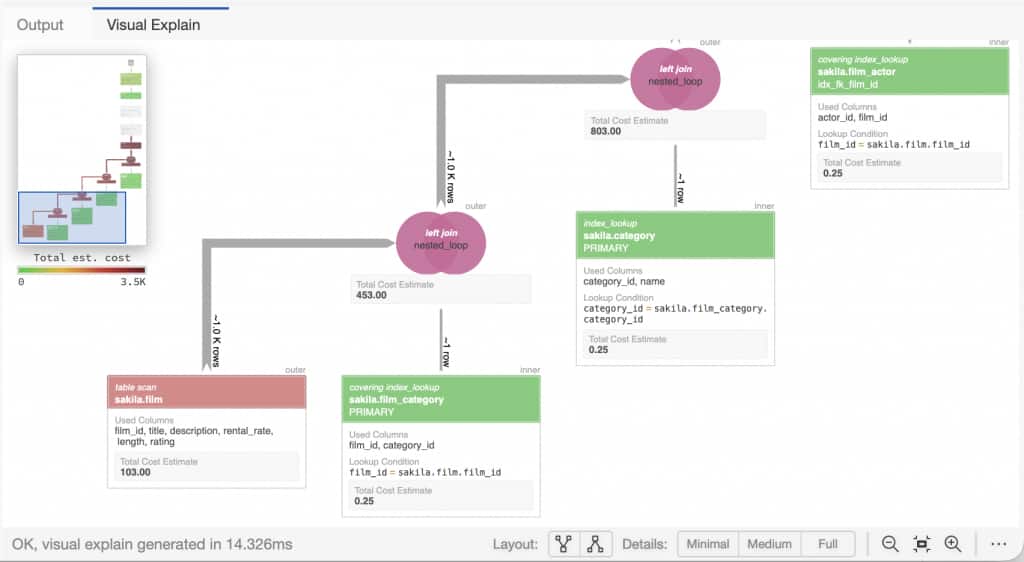
Updated Visual Explain — a redesigned graphical representation of query execution plans, supporting new MySQL features like the hyper-graph optimizer and HeatWave query plans
SQL Formatter — automatically clean up and reformat SQL into a more readable format
Auto-completion – SQL completion now supports expanding table and object names, @@variable names and more
Administration
Server Status and Overview — an at-a-glance view of your server’s status and configuration
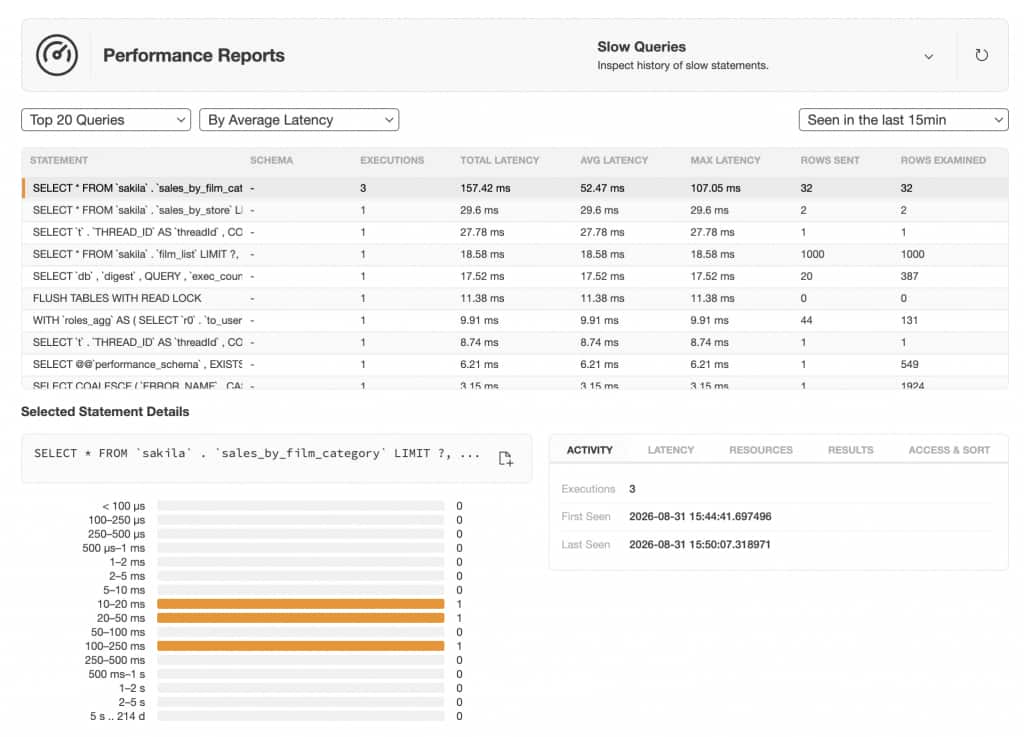
Performance Reports — including slow query analysis, memory usage, and database size reporting
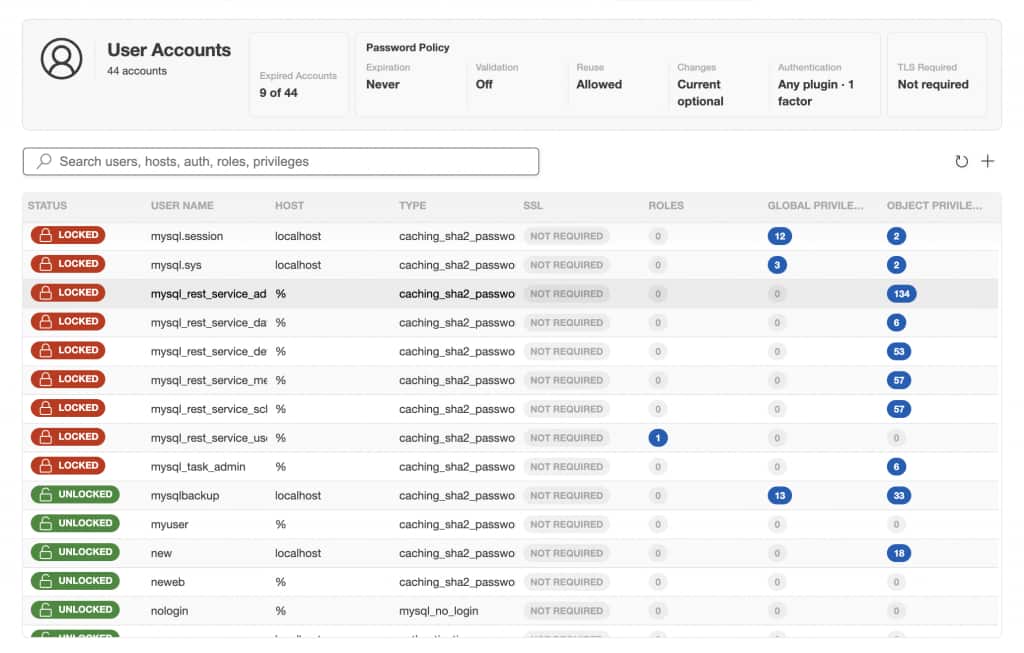
User and Grants Management — create, edit, and audit users and privileges through a visual interface
MySQL Enterprise Backup integration, for creating, scheduling and restoring full and incremental MySQL backups
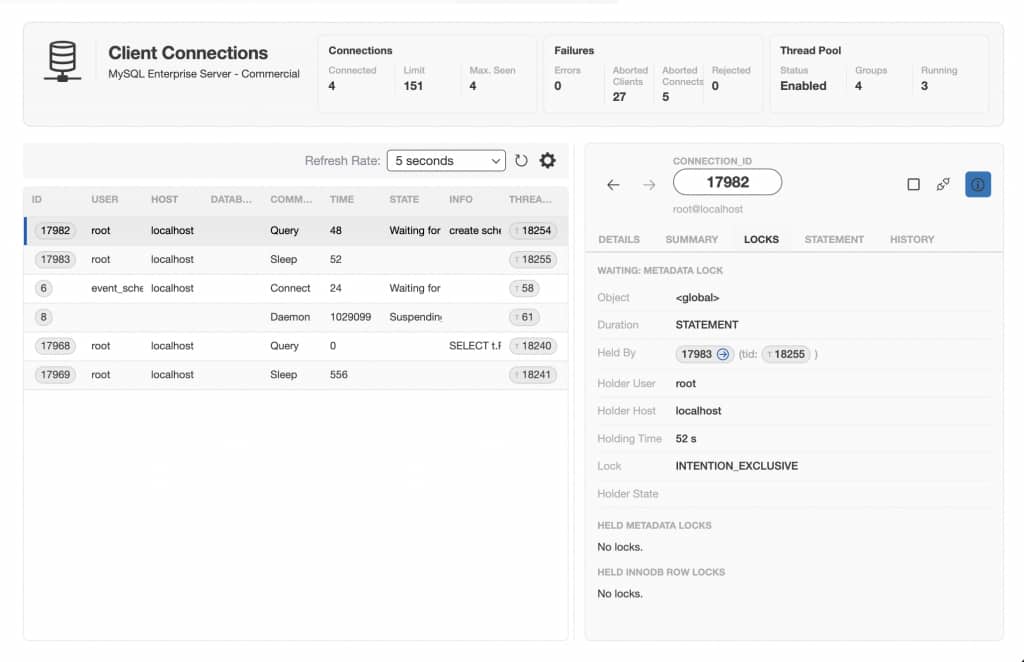
Client Connection Browser – view active MySQL client connections and dig down into what they’re doing. Inspect locks that they’re blocked on waiting or locks they’re holding themselves
Cloud Migration
HeatWave Migration Assistant — a guided, wizard-driven UI for migrating on-premises and cloud (AWS RDS, Aurora etc) databases to OCI, taking you step by step through the process of moving your data to MySQL HeatWave
Because this is a from-the-ground-up rebuild, the new Workbench is in active development. Some features found in Workbench 8 may not be available yet but the team is working to bring them to you as quickly as we can, along with entirely new functionality that wasn’t possible before.
In the following weeks we’ll be publishing more detailed posts on individual features. In the meantime, we encourage you to try the new Workbench, see what’s there today, and let us know what matters most to you as we prioritize the roadmap.
Open Source and Built to Extend
MySQL Workbench 26.7 is open source, and it’s been designed from the start to be easy to extend. Whether you want to add a new panel, integrate with another tool, or customize a workflow, the new architecture makes that far more approachable than it ever was in the old codebase.
Get Involved
This is a community effort, and we want you in it. Whether that means filing issues, contributing code, testing early features, or just telling us what you’d like to see next. Check out the project repository, join the discussion, and help shape where MySQL Workbench goes from here.
Downloads and More
Download MySQL Workbench 26.7 packages for Windows, macOS and Linux
Bugs and Feature Suggestions
File bugs and feature suggestions at https://bugs.mysql.com or the GitHub project issues page
Show me the code
Source code for Workbench and Shell plugins can be found at GitHub, as well as MySQL Shell sources.
Planet for the MySQL Community